
Grid view
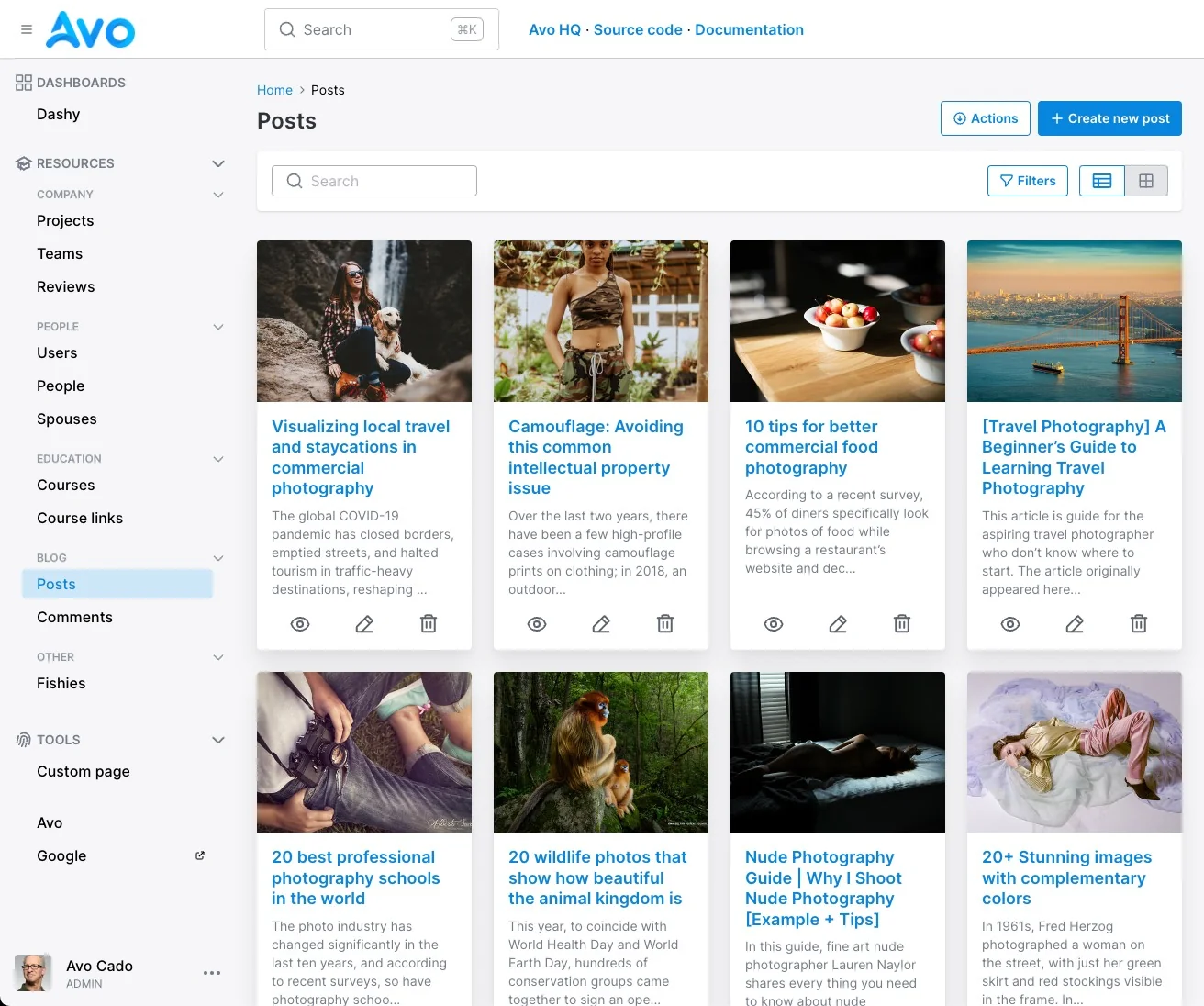
Some resources are best displayed in a grid view. We can do that with Avo using a cover, a title, and a body.
Enable grid view
To enable grid view for a resource, you need to add the grid block. That will add the view switcher to the Index view.
class PostResource < Avo::BaseResource
  # ...
  grid do
    cover :cover_photo, as: :file, link_to_resource: true
    title :name, as: :text, required: true, link_to_resource: true
    body :excerpt, as: :text
  end
end
Make default view
To make the grid the default way of viewing a resource Index, we have to use the default_view_type class attribute.
class PostResource < Avo::BaseResource
  self.default_view_type = :grid
end
Fields configuration
Besides the regular field methods, you should add a new grid block configuring the grid fields. The main difference is that the fields are not declared using the field class method but three new ones cover, title, and body
class PostResource < Avo::BaseResource
  self.default_view_type = :grid

  field :id, as: :id
  field :name, as: :text, required: true
  field :body, as: :textarea
  field :cover_photo, as: :file, is_image: true

  grid do
    cover :cover_photo, as: :file, is_image: true
    title :name, as: :text
    body :body, as: :textarea
  end
end
That will render the Post resource index view as a Grid view using the selected fields. Avo will also display a button to toggle between the view types :grid and :table.
These fields take the same options as those in the fields method, so you can configure them however you want.
For example, in the Grid view, you might want to truncate the :body to a certain length and use an external image for the cover you compute on the fly. And also, render the :cover and the :title fields as links to that resource with link_to_resource: true.
grid do
  cover :logo, as: :external_image, link_to_resource: true do |model|
    if model.url.present?
      "//logo.clearbit.com/#{URI.parse(model.url).host}?size=180"
    end
  end
  title :name, as: :text, link_to_resource: true
  body :excerpt, as: :text do |model|
    begin
      ActionView::Base.full_sanitizer.sanitize(model.body).truncate 130
    rescue => exception
      ''
    end
  end
end
Use a computed field for the cover field
A common use case is to have the assets stored on a separate model and would like to display an image from that related association.
class Post < ApplicationRecord
  has_many :post_assets
end

class PostAssets < ApplicationRecord
  belongs_to :post

  has_one_attached :image
end
Luckily, the grid display can be a computed field too
 grid do
  cover :image, as: :file, is_image: true, link_to_resource: true do |model|
    # we find the first asset association and use it's image attachment
    model.post_assets.first.image
  end
end