
Authorization
When you share access to Avo with your clients or large teams, you may want to restrict access to a resource or a subset of resources. One example may be that only admin-level users may delete or update records.
Avo provides a Pundit client out of the box for authorization that uses a policy system to manage access.
Pundit alternative
Pundit is just the default client. You may plug in your own client using the instructions here. You can use this action_policy client as well.
WARNING
You must manually require pundit or your authorization library in your Gemfile.
# Minimal authorization through OO design and pure Ruby classes
gem "pundit"
And update config/initializers/avo.rb with following configuration:
# Example of enabling authorization client in Avo configuration
config.authorization_client = :pundit
Ensure Avo knows who your current user is
Before setting any policies up, please ensure Avo knows your current user. Usually, this 👇 set up should be fine, but follow the authentication guide for more information.
# config/initializers/avo.rb
Avo.configure do |config|
  config.current_user_method = :current_user
end
Policies
Just run the regular pundit bin/rails g pundit:policy Post to generate a new policy.
If this is a new app you need to install pundit first bin/rails g pundit:install.
With this new policy, you may control what every type of user can do with Avo. The policy has the default methods for the regular controller actions: index?, show?, create?, new?, update?, edit? and destroy?.
These methods control whether the resource appears on the sidebar, if the view/edit/destroy buttons are visible or if a user has access to those index/show/edit/create pages.
Here's a full example of a policy file with all the methods Avo checks. Each one is described in detail below.
# app/policies/post_policy.rb
class PostPolicy < ApplicationPolicy
  def index?
    true
  end

  def show?
    true
  end

  def new?
    create?
  end

  def create?
    user.admin?
  end

  def edit?
    true
  end

  def update?
    user.admin?
  end

  def destroy?
    user.admin?
  end

  def act_on?
    user.admin?
  end

  def reorder?
    user.admin?
  end

  def search?
    true
  end

  def preview?
    true
  end
end
-> index?
index? is used to display/hide the resources on the sidebar and restrict access to the resources Index view.
INFO
This option is used in the auto-generated menu, not in the menu editor.
You'll have to use your own logic in the visible block for that.
-> show?
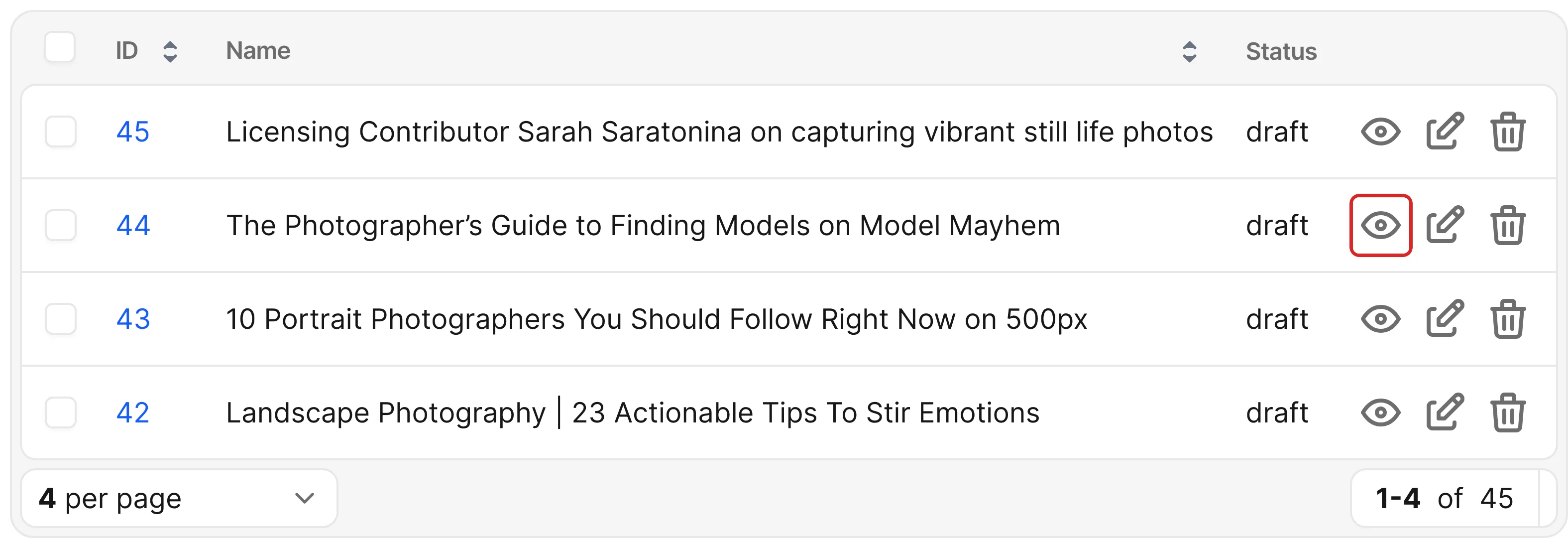
When setting show? to false, the user will not see the show icon on the resource row and will not have access to the Show view of a resource.
-> new?
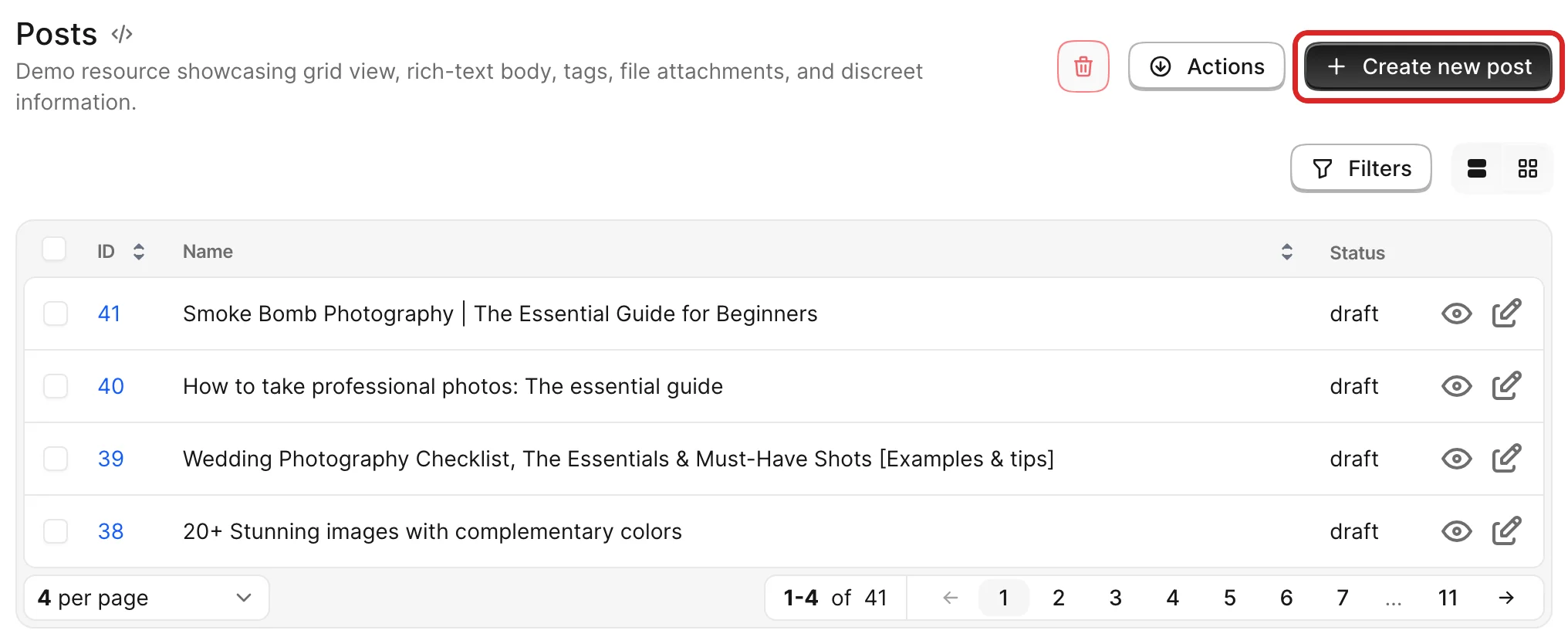
The new? method controls whether the user can open the creation flow. It applies to the Create new {model} button on the Index page and the Create new {model} button on association Show pages.
When the user visits the /new page, Avo authorizes with new? again (without raising an exception on failure).
-> create?
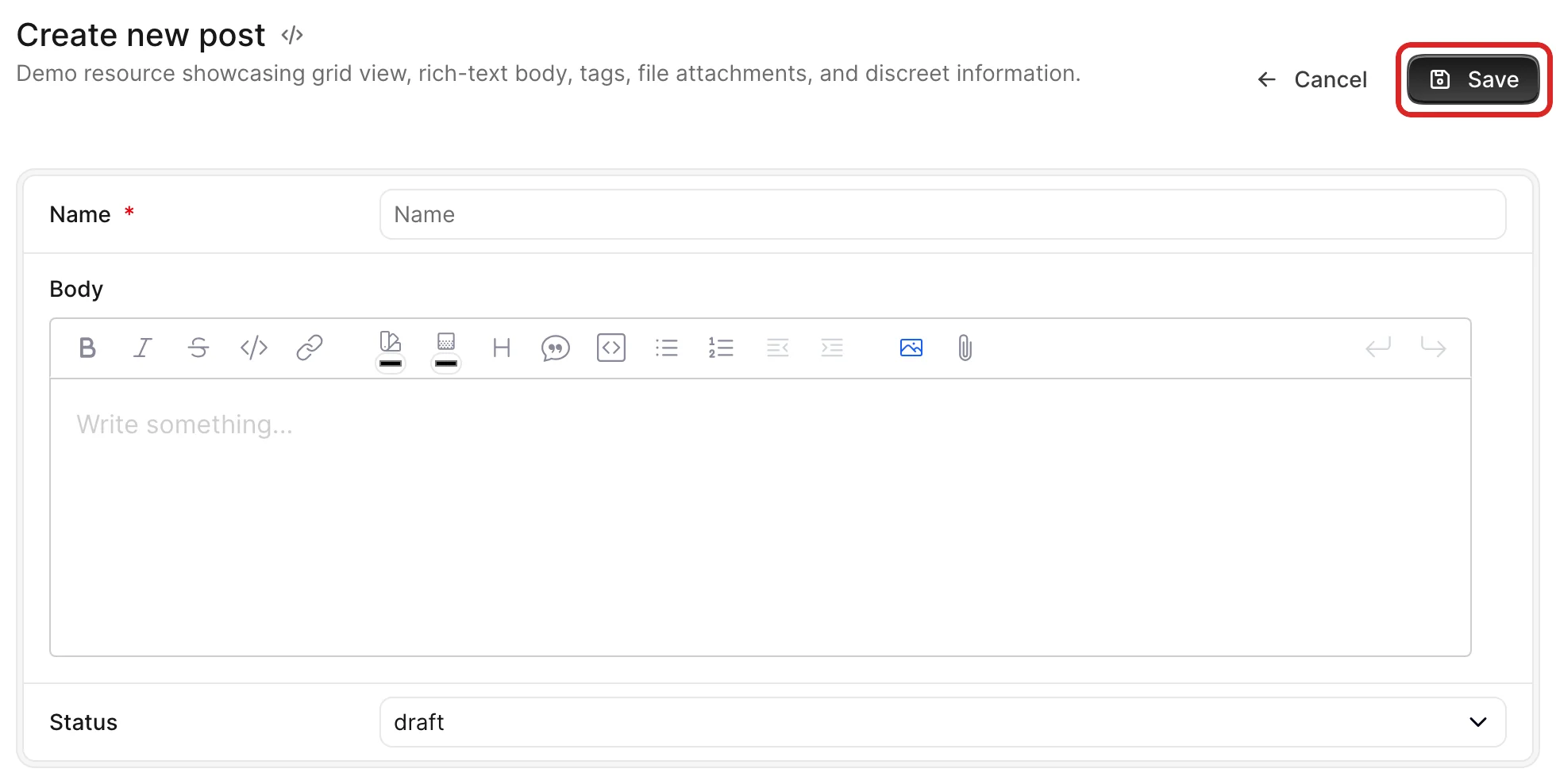
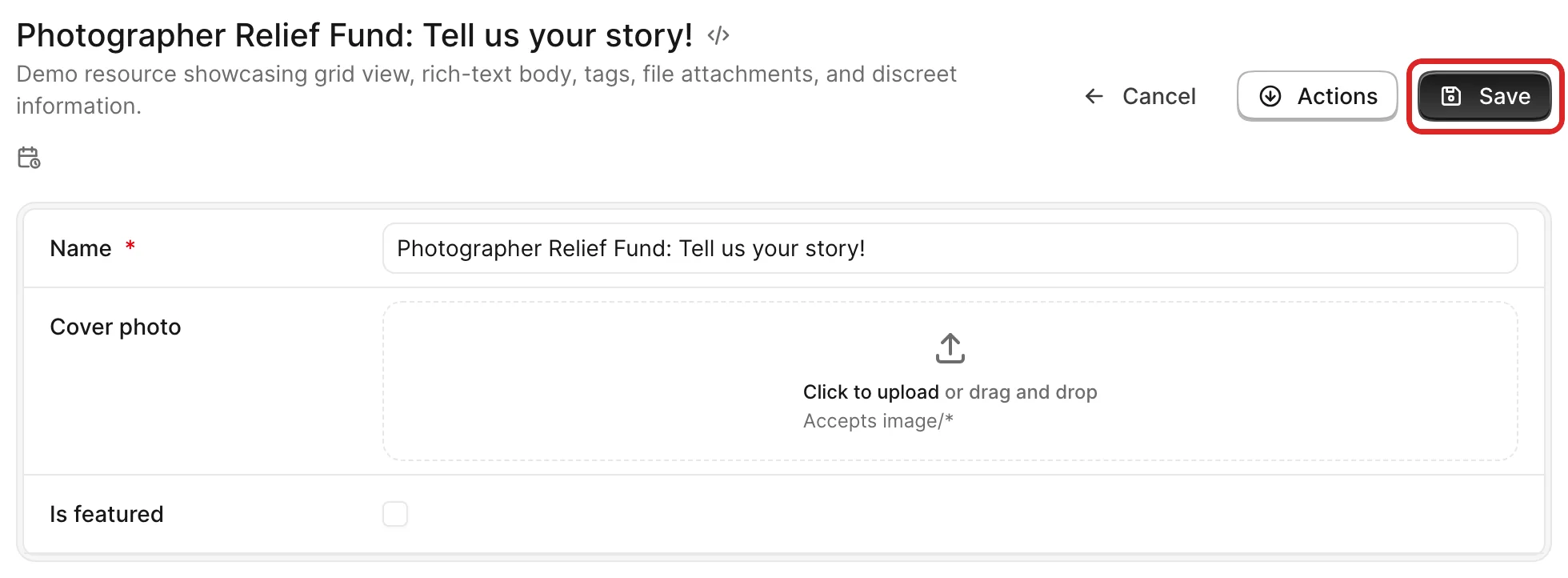
The create? method controls whether the user can persist a new record. It applies to the Save button on the /new page and association create actions.
Avo intentionally checks create? only when saving, so your policy can access the record variable with the form values pre-filled.
-> edit?
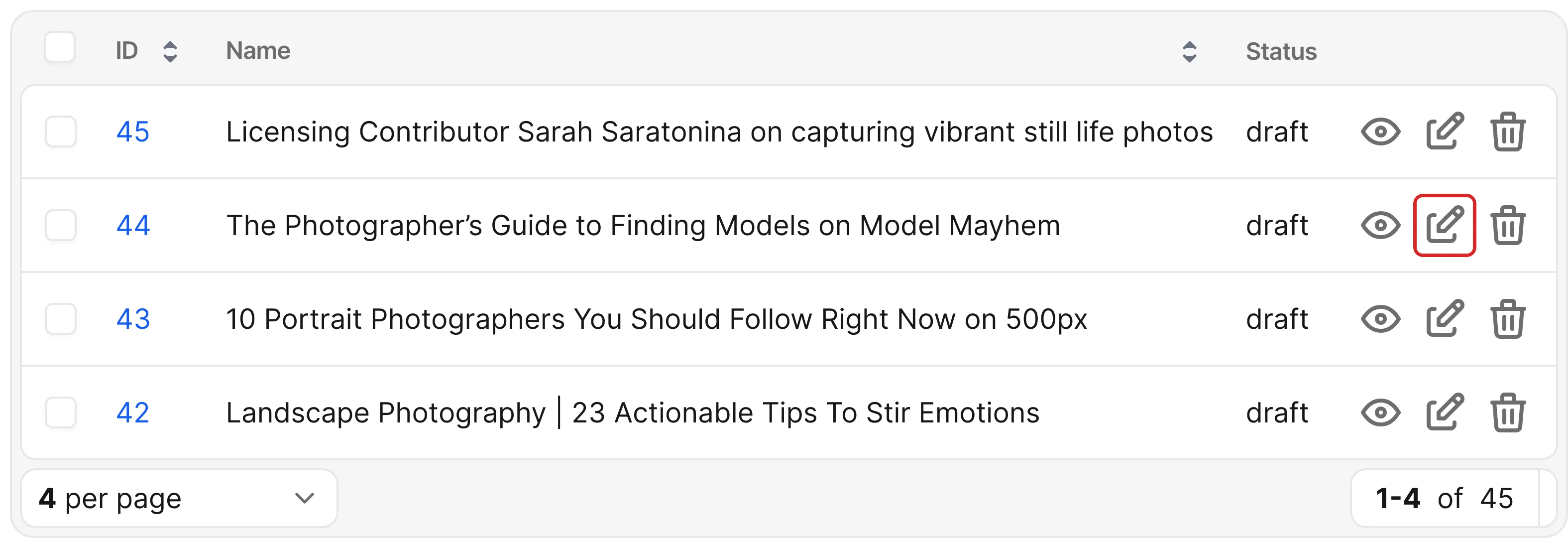
edit? to false will hide the edit button on the resource row and prevent the user from seeing the edit view.
-> update?
update? to false will prevent the user from updating a resource. You can also access the record variable with the form values pre-filled.
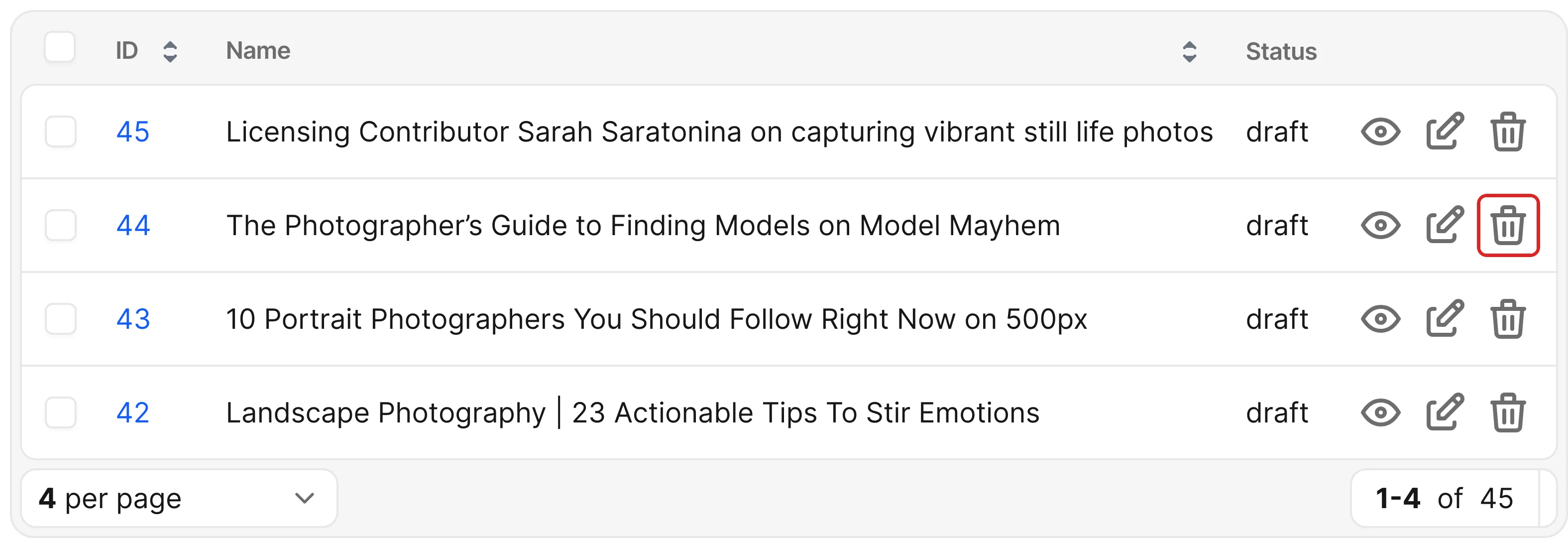
-> destroy?
destroy? to false will prevent the user from destroying a resource and hiding the delete button.
More granular file authorization
These are per-resource and general settings. If you want to control the authorization per individual file, please see the granular settings.
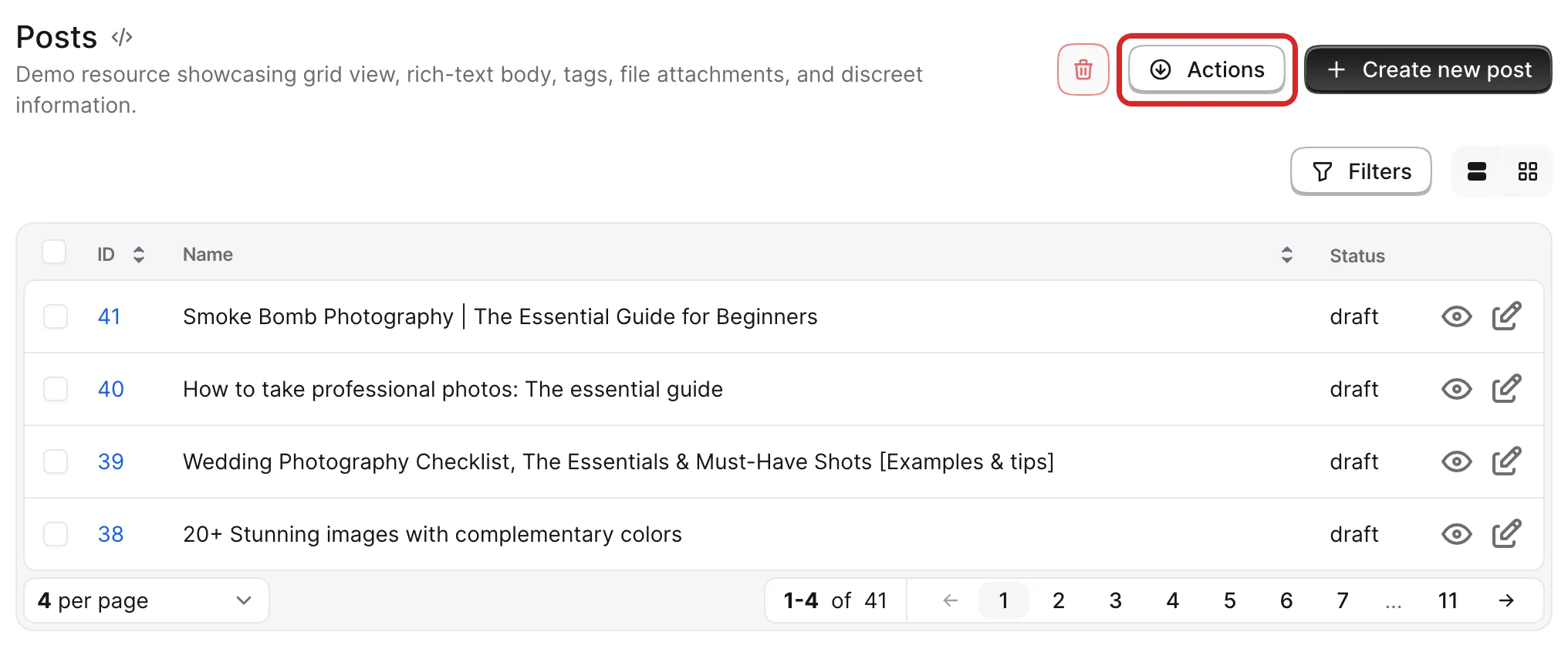
-> act_on?
Controls whether the user can see the actions button on the Index page.
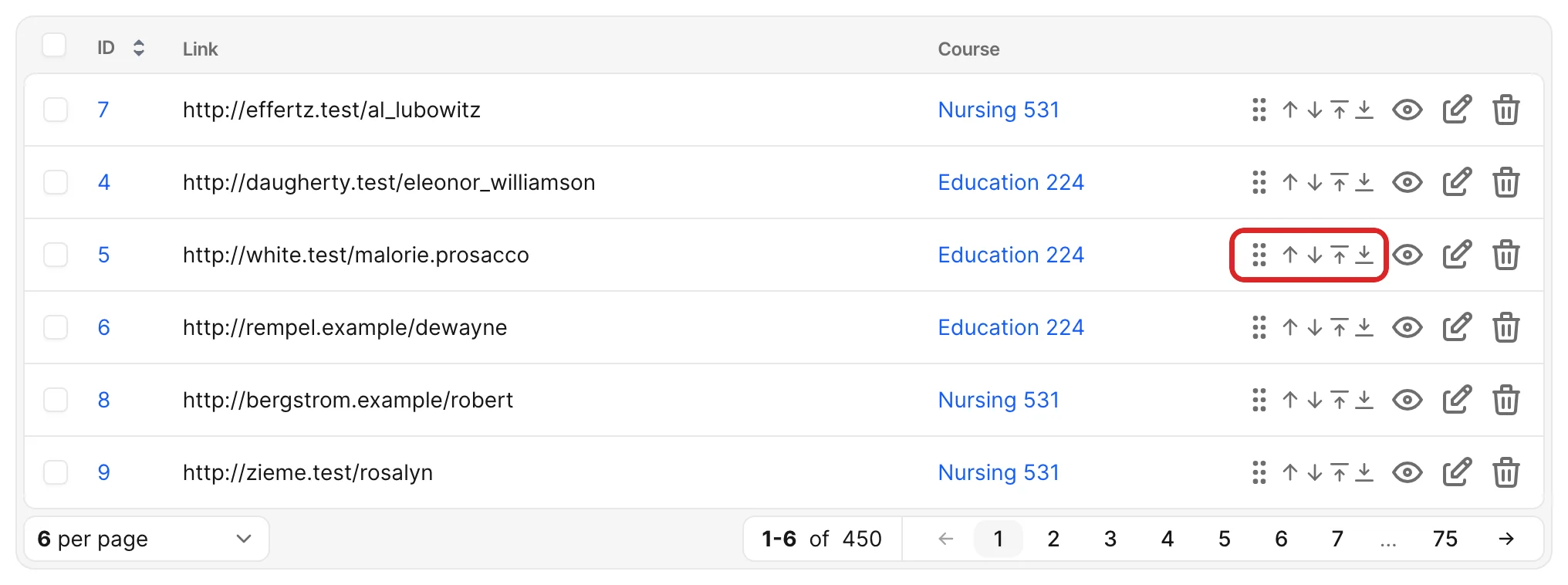
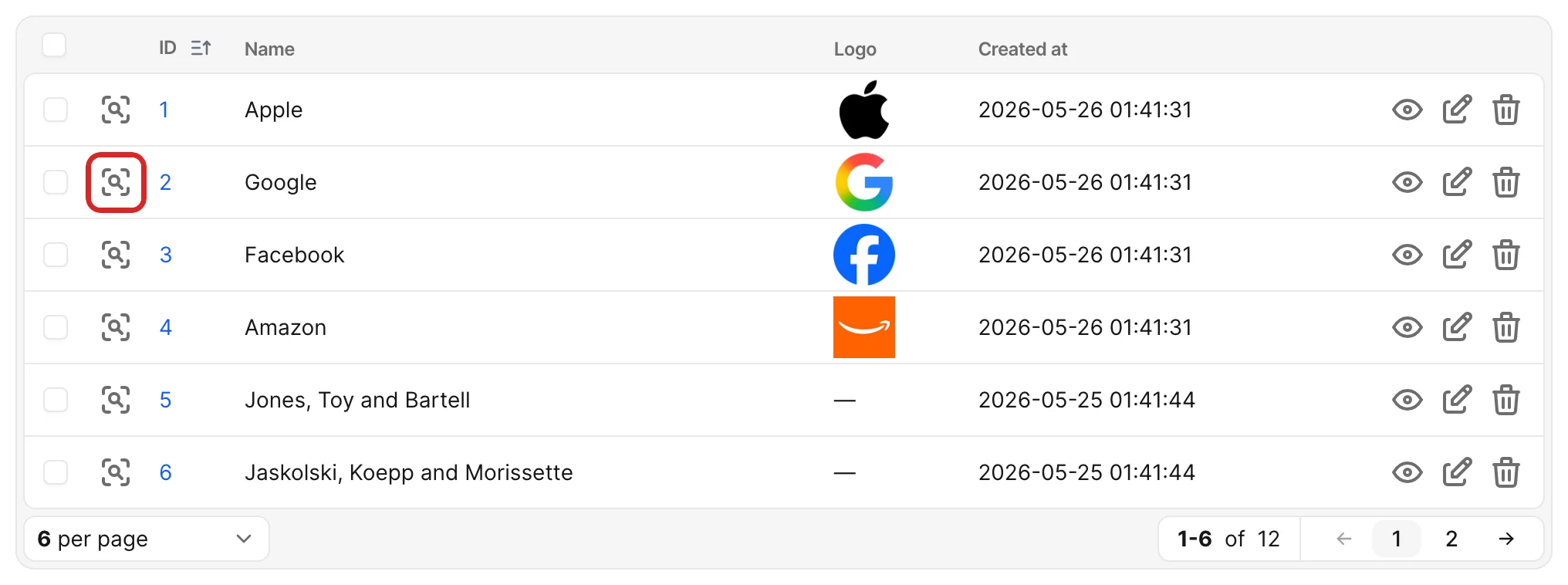
-> reorder?
Controls whether the user can see the record reordering buttons on the Index page.
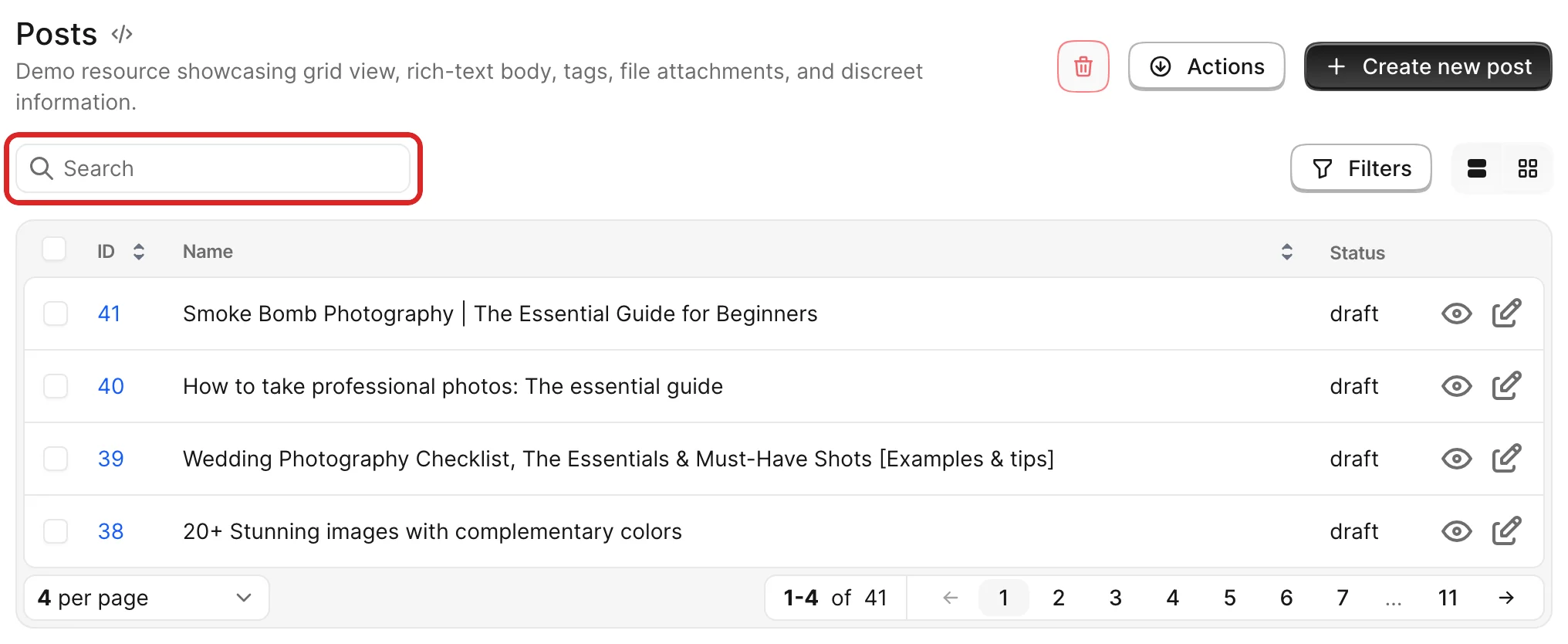
-> search?
Controls whether the user can see the resource search input on top of the Index page.
-> preview?
Controls access to the preview endpoint, which is triggered by the preview field.
INFO
This policy method does not control the visibility of the preview field. It only manages authorization at the endpoint level. To hide the preview field, use the visible field option.
Associations
When using associations, you would like to set policies for creating new records on the association, allowing to attach, detach, create or destroy relevant records. Again, Avo makes this easy using a straightforward naming schema.
WARNING
Make sure you use the same pluralization as the association name.
For a has_many :users association use the plural version method view_users?, edit_users?, detach_users?, etc., not the singular version detach_user?.
Example scenario
We'll have this example of a Post resource with many Comments through the has_many :comments association.
The record variable in policy methods
In the Post has_many Comments example, when you want to authorize show_comments? in PostPolicy you will have a Comment instance as the record variable, but when you try to authorize the attach_comments?, you won't have that Comment instance because you want to create one, but we expose the parent Post instance so you have more information about that authorization action that you're trying to make.
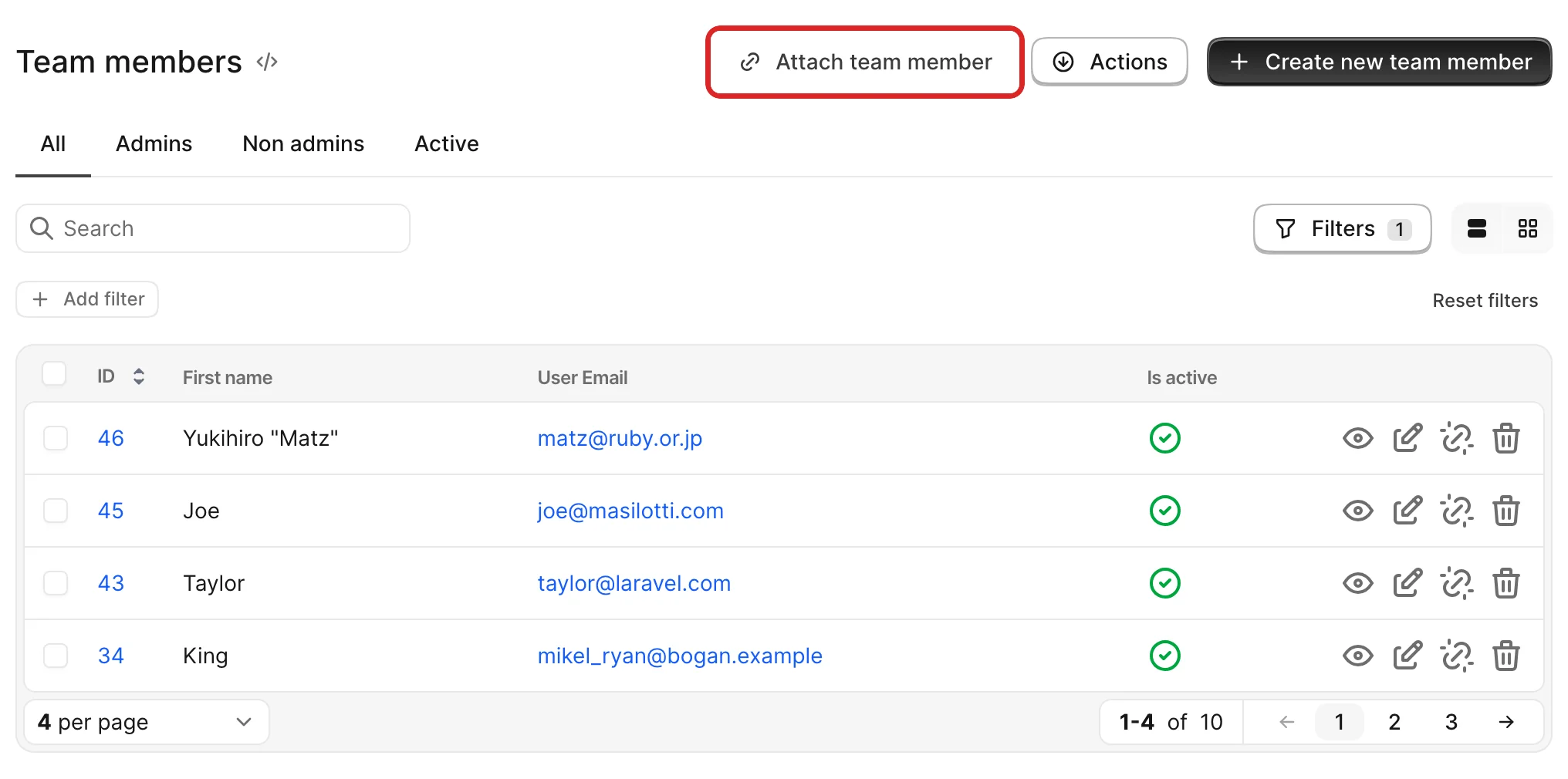
-> attach_{association}?
Controls whether the Attach comment button is visible. The record variable is the parent record (a Post instance in our scenario).
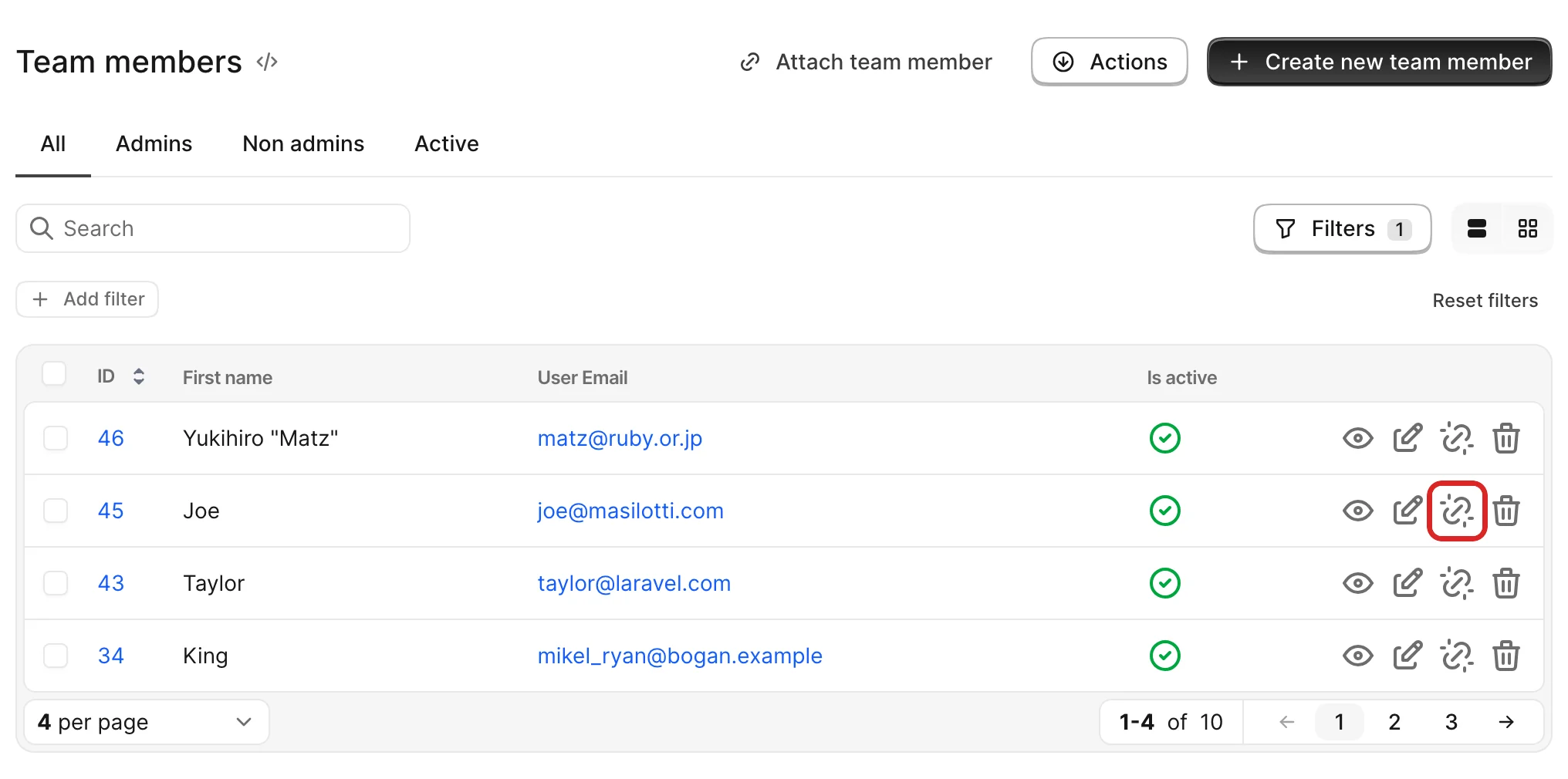
-> detach_{association}?
Controls whether the detach button is available on the associated record row on the Index view. The record variable is the actual row record (a Comment instance in our scenario).
-> view_{association}?
Controls whether the whole association is being displayed on the parent record. The record variable is the actual row record (a Comment instance in our scenario).
-> show_{association}?
Controls whether the view button is visible on the associated record row on the Index page. The record variable is the actual row record (a Comment instance in our scenario).
WARNING
This does not control whether the user has access to that record. You control that using the Policy of that record (PostPolicy.show? in our example).
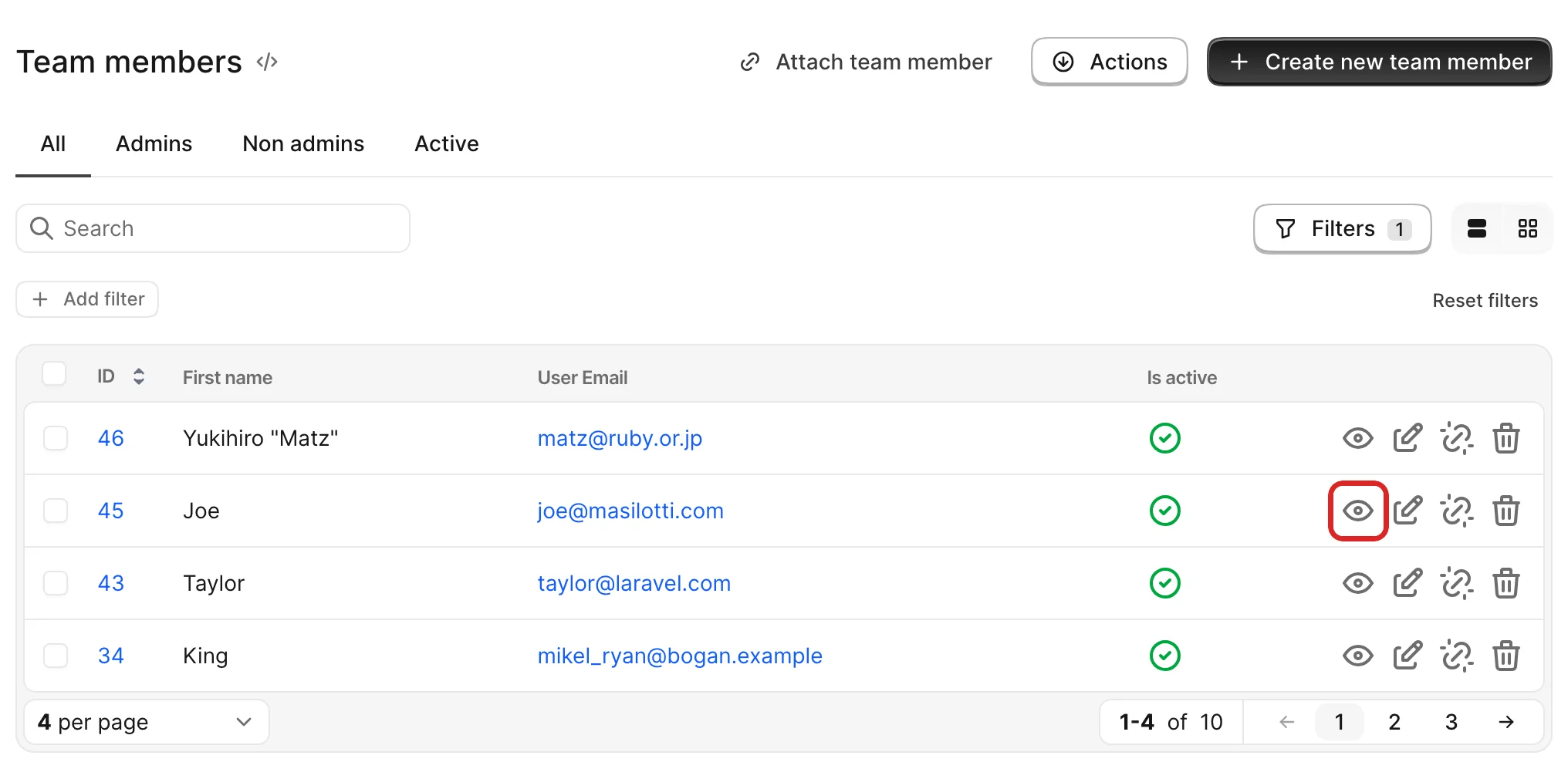
Difference between view_{association}? and show_{association}?
Let's take a Post has_many Comments.
When you use the view_comments? policy method you get the Post instance as the record and you control if the whole listing of comments appears on that record's Show page.
When you use show_comments? policy method, the record variable is each Comment instance and you control whether the view button is displayed on each individual row.
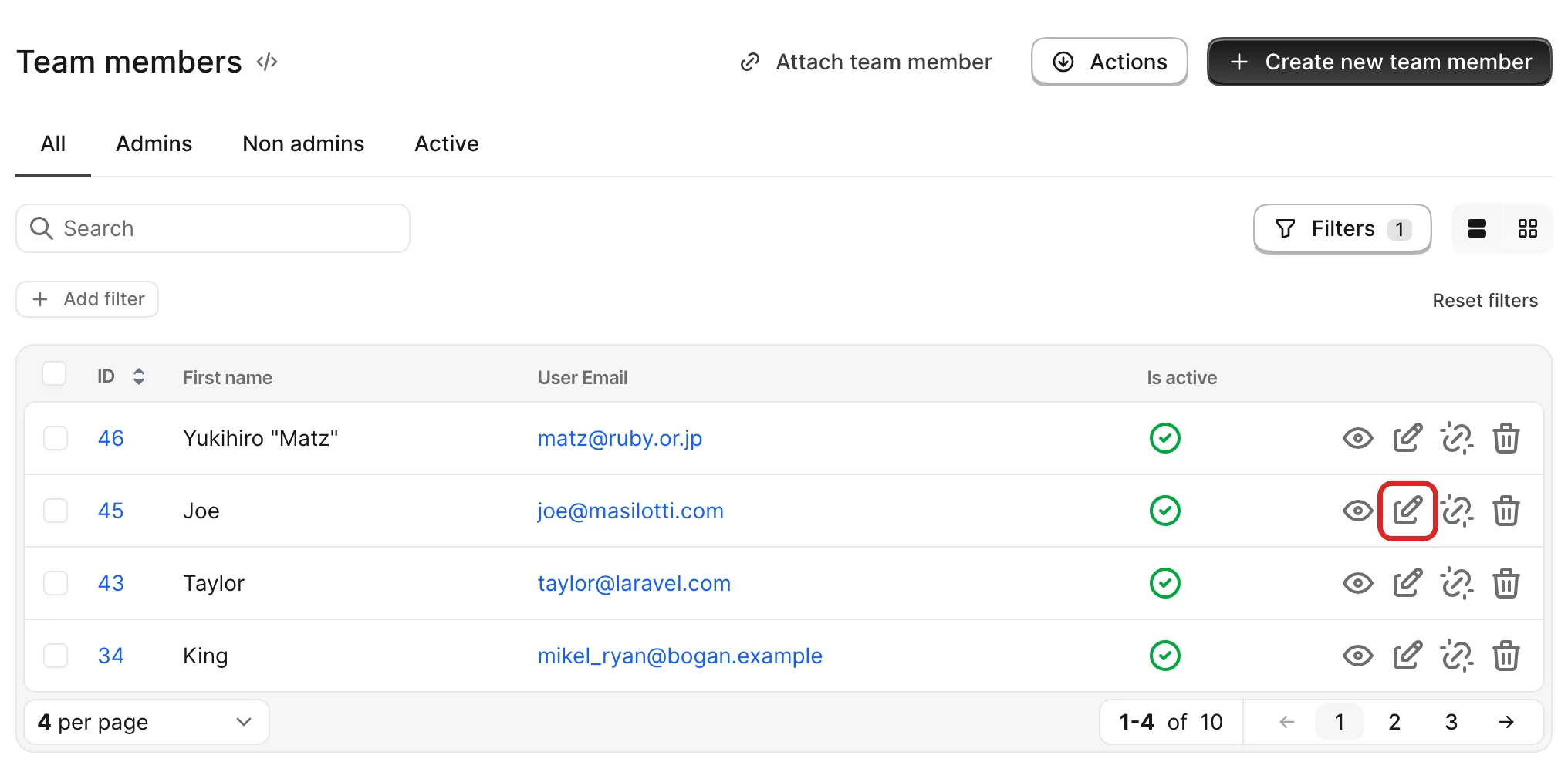
-> edit_{association}?
Controls whether the edit button is visible on the associated record row on the Index page.The record variable is the actual row record (a Comment instance in our scenario).
WARNING
This does not control whether the user has access to that record's edit page. You control that using the Policy of that record (PostPolicy.show? in our example).
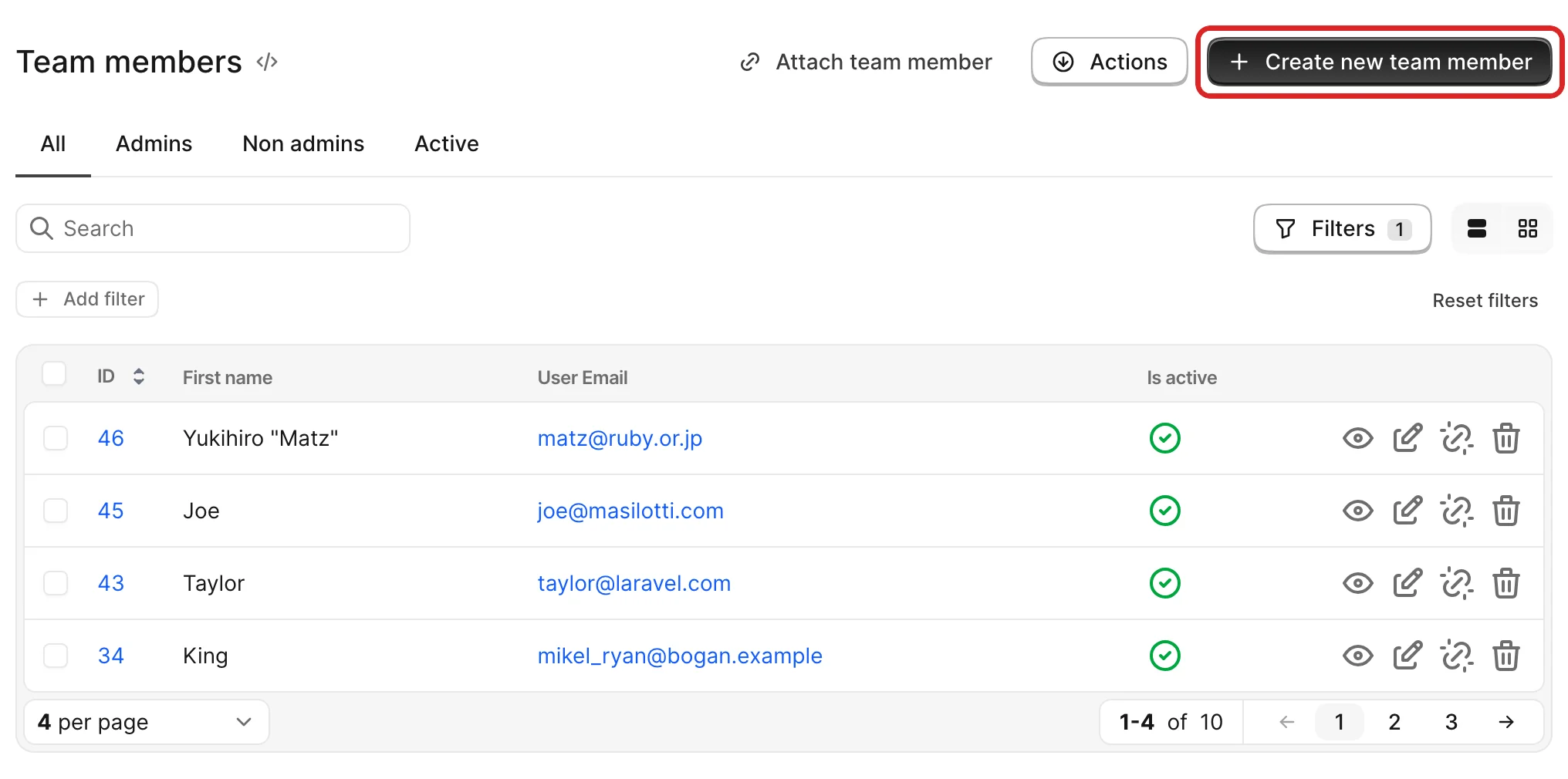
-> create_{association}?
Controls whether the Create comment button is visible. The record variable is the parent record (a Post instance in our scenario).
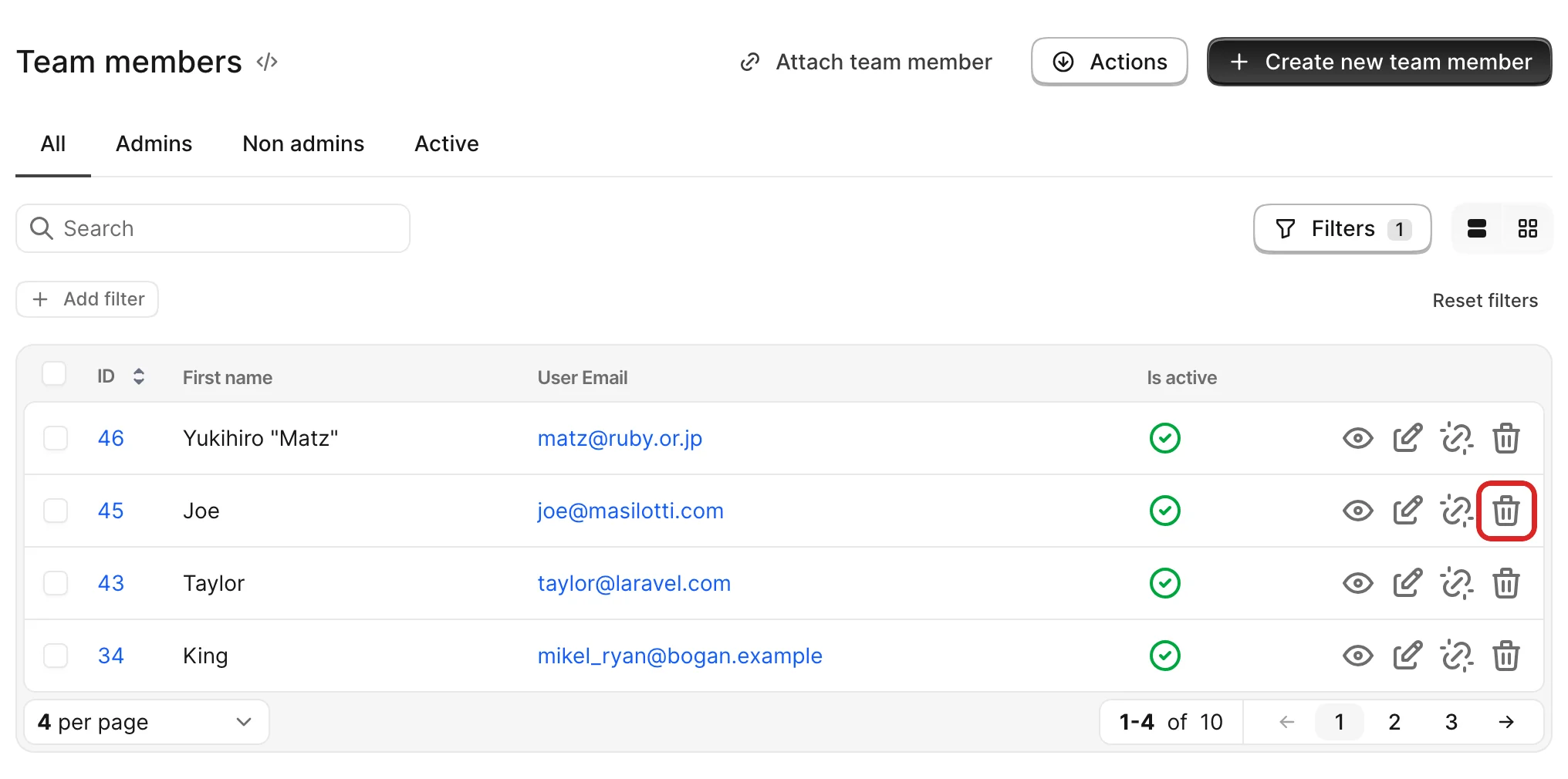
-> destroy_{association}?
Controls whether the delete button is visible on the associated record row on the Index page.The record variable is the actual row record (a Comment instance in our scenario).
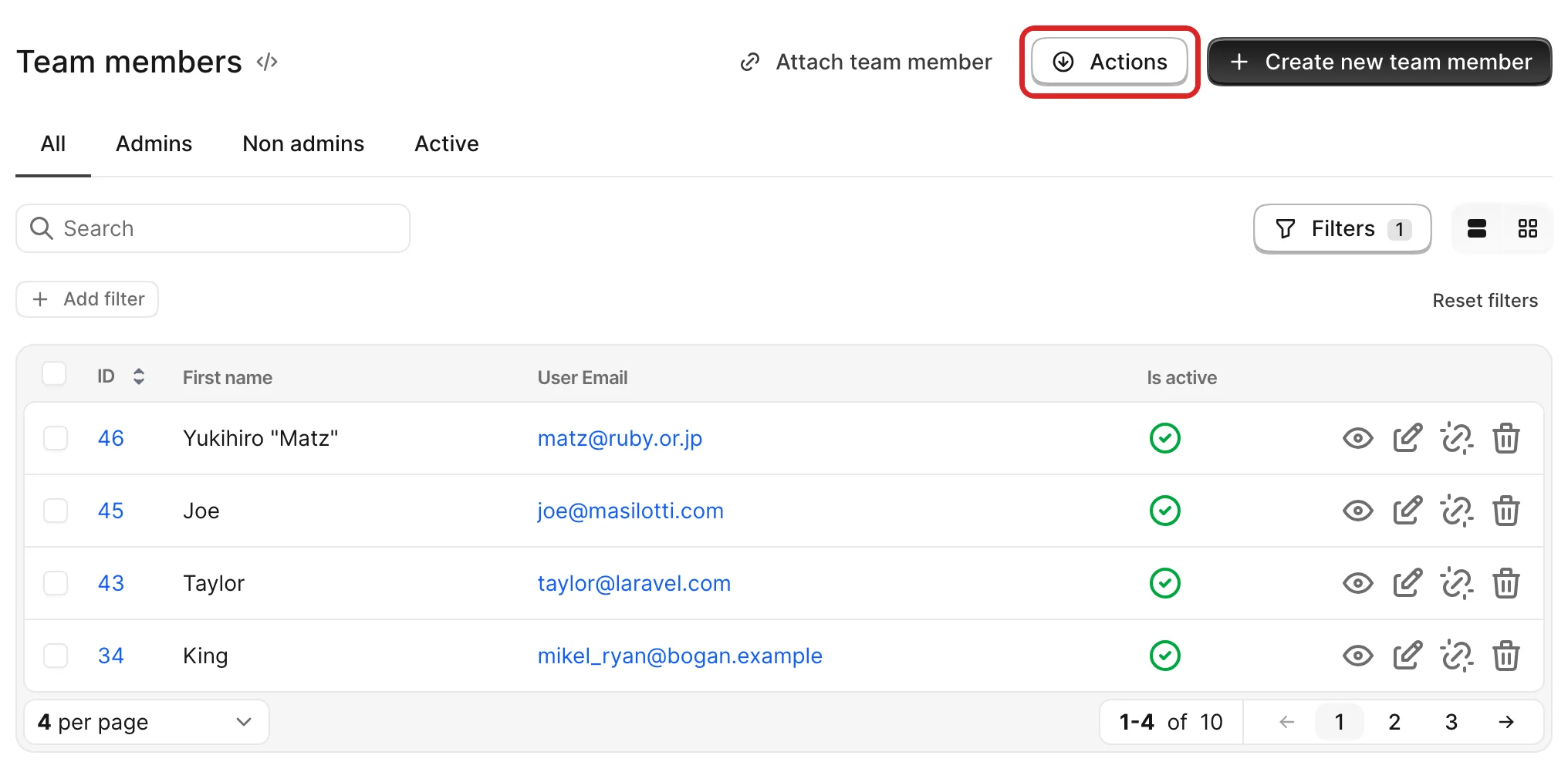
-> act_on_{association}?
Controls whether the Actions dropdown is visible. The record variable is the parent record (a Post instance in our scenario).
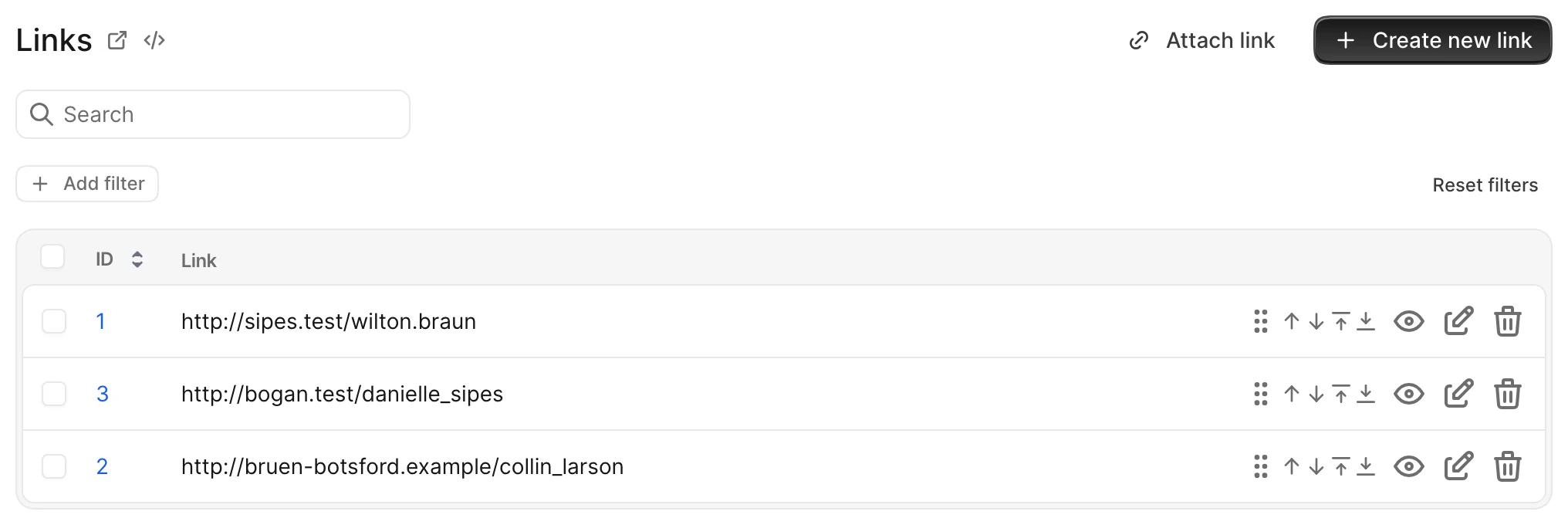
-> reorder_{association}?
Controls whether the user can see the record reordering buttons on the has_many Index page.
Removing duplication
A note on duplication
Let's take the following example:
A User has many Contracts. And you represent that in your Avo resource. How do you handle authorization to the ContractResource?
For one, you set the ContractPolicy.index? and ContractPolicy.edit? methods to false so regular users don't have access to all contracts (see and edit), and the UserPolicy.view_contracts? and UserPolicy.edit_contracts? set to false, because, when viewing a user you want to see all the contracts associated with that user and don't let them edit it.
You might be thinking that there's code duplication here. "Why do I need to set a different rule for UserPolicy.edit_contracts? when I already set the ContractPolicy.edit? to false? Isn't that going to take precedence?"
Now, let's imagine we have a user that is an admin in the application. The business need is that an admin has access to all contracts and can edit them. This is when we go back to the ContractPolicy.edit? and turn that to true for the admin user. And now we can separately control who and where a user can edit a contract.
You may remove duplication by applying the same policy rule from the original policy.
class CommentPolicy
  # ... more policy methods
  def edit
    record.user_id == current_user.id
  end
end

class PostPolicy
  # ... more policy methods
  def edit_comments?
    Pundit.policy!(user, record).edit?
  end
end
Now, whatever action you take for one comment, it will be available for the edit_comments? method in PostPolicy.
There's a concern that removes the duplication and helps you apply the same rules to associations. You should include Avo::Authorization::Concerns::PolicyHelpers in the ApplicationPolicy for it to be applied to all policy classes.
PolicyHelpers allows you to use the method inherit_association_from_policy. This method takes two arguments; association_name and the policy file you want to be used as a template.
inherit_association_from_policy :comments, CommentPolicyWith just one line of code, it will define the following methods to policy your association:
def create_comments?
  CommentPolicy.new(user, record).create?
end

def edit_comments?
  CommentPolicy.new(user, record).edit?
end

def update_comments?
  CommentPolicy.new(user, record).update?
end

def destroy_comments?
  CommentPolicy.new(user, record).destroy?
end

def show_comments?
  CommentPolicy.new(user, record).show?
end

def reorder_comments?
  CommentPolicy.new(user, record).reorder?
end

def act_on_comments?
  CommentPolicy.new(user, record).act_on?
end

def view_comments?
  CommentPolicy.new(user, record).index?
end

def attach_comments?
  CommentPolicy.new(user, record).attach?
end

def detach_comments?
  CommentPolicy.new(user, record).detach?
end
Although these methods won't be visible in your policy code, you can still override them. For instance, if you include the following code in your CommentPolicy, it will be executed in place of the one defined by the helper:
inherit_association_from_policy :comments, CommentPolicy

def destroy_comments?
  false
end
Attachments
When working with files, it may be necessary to establish policies that determine whether users can upload, download or delete files. Fortunately, Avo simplifies this process by providing a straightforward naming schema for these policies.
Both the record and the user will be available for you to access.
Actions inherit attachment authorization
These attachment authorization methods also apply to file fields in actions that run on the resource using the same policy. For example, if you define upload_file? in PostPolicy and have an action on Avo::Resources::Post with field :file, as: :file, the same upload_file? policy method will be used to authorize the file upload in that action.
-> upload_{FIELD_ID}?
Controls whether the user can upload the attachment.
-> download_{FIELD_ID}?
Controls whether the user can download the attachment.
-> delete_{FIELD_ID}?
Controls whether the user can destroy the attachment.
AUTHORIZE IN BULK
If you want to allow or disallow these methods in bulk you can use a little meta-programming to assign all the same value.
[:cover_photo, :audio].each do |file|
  [:upload, :download, :delete].each do |action|
    define_method "#{action}_#{file}?" do
      true
    end
  end
end
Scopes
You may specify a scope for the Index, Show, and Edit views.
class PostPolicy < ApplicationPolicy
  class Scope < Scope
    def resolve
      if user.admin?
        scope.all
      else
        scope.where(published: true)
      end
    end
  end
end
WARNING
This scope will be applied only to the Index view of Avo. It will not be applied to the association view.
Example:
A Post has_many Comments. The CommentPolicy::Scope will not affect the has_many field. You need to add the scope option to the has_many field where you can modify the query.
# The `parent` is the Post instance that the user is seeing. ex: Post.find(1)
# The `query` is the Active Record query being done on the comments. ex: post.comments
field :comments, as: :has_many, scope: -> { Pundit.policy_scope(parent, query) }
Using different policy methods
By default Avo will use the generated Pundit methods (index?, show?, create?, new?, update?, edit? and destroy?). But maybe, in your app, you're already using these methods and would like to use different ones for Avo. You may want override these methods inside your configuration with a simple map using the authorization_methods key.
Avo.configure do |config|
  config.root_path = '/avo'
  config.app_name = 'Avocadelicious'
  config.license_key = ENV['AVO_LICENSE_KEY']
  config.authorization_methods = {
    index: 'avo_index?',
    show: 'avo_show?',
    edit: 'avo_edit?',
    new: 'avo_new?',
    update: 'avo_update?',
    create: 'avo_create?',
    destroy: 'avo_destroy?',
    search: 'avo_search?',
  }
end
Now, Avo will use avo_index? instead of index? to manage the Index view authorization.
Use Resource's Policy to authorize custom actions
It may be necessary to authorize a specific field or custom action of a resource using a policy class rather than defining the authorization logic directly within the resource class. By doing so, we can delegate control to the policy class, ensuring a cleaner and more maintainable authorization structure.
field :amount,
      as: :money,
      currencies: %w[USD],
      sortable: true,
      filterable: true,
      copyable: true,
      # define ability to change the amount in policy class instead of doing it here
disabled: -> { !@resource.authorization.authorize_action(:amount?, raise_exception: false) }# Define ability to change the amount in Product Policy
def amount?
user.admin?
endRaise errors when policies are missing
The default behavior of Avo is to allow missing policies for resources silently. So, if you have a User model and a Avo::Resources::User but don't have a UserPolicy, Avo will not raise errors regarding missing policies and authorize that resource.
If, however, you need to be on the safe side of things and raise errors when a Resource is missing a Policy, you can toggle on the raise_error_on_missing_policy configuration.
# config/initializers/avo.rb
Avo.configure do |config|
  config.root_path = '/avo'
  config.app_name = 'Avocadelicious'
  config.license_key = ENV['AVO_LICENSE_KEY']
  config.raise_error_on_missing_policy = true
end
Now, you'll have to provide a policy for each resource you have in your app, thus making it a more secure app.
Logs
Developers have the ability to monitor any unauthorized actions. When a developer user makes a request that triggers an unauthorized action, a log entry similar to the following will be generated:
In development each log entry provides details about the policy class, the action attempted, the global id of the user who made the request, and the global id of the record involved:
web     | [Avo->] Unauthorized action 'reorder?' for 'UserPolicy'
web     | user: gid://dummy/User/20
web     | record: gid://dummy/User/31
To find a record based on its global id you can use GlobalID::Locator.locate
gid = "gid://dummy/User/20"
user = GlobalID::Locator.locate(gid)
In production each log entry provides details only about the policy class and the attempted action:
web | [Avo->] Unauthorized action 'act_on?' for 'UserPolicy'Custom policies
By default, Avo will infer the policy from the model of the resource object. If you wish to use a different policy for a given resource, you can specify it directly in the resource using the authorization_policy option.
# app/avo/resources/photo_comment.rb
class Avo::Resources::PhotoComment < Avo::BaseResource
  self.model_class = "Comment"
  self.authorization_policy = PhotoCommentPolicy
  # ...
end
Custom authorization clients
Pundit is the default client, but you can plug in any authorization library (for example Action Policy) by implementing a small adapter class.
Reference implementation
The Pundit adapter examples below follow the same contract as Avo's built-in :pundit client. Community examples for Action Policy are available in this issue.
How Avo uses your client
Your client is a thin adapter between Avo and your authorization library. Avo calls four methods on it:
policy(user, record)
Finds the policy for a model class or record. Avo calls this before running authorization checks — for example to resolve EquipmentPolicy for the Equipment model or a specific record.
policy(user, Equipment)        # => EquipmentPolicy instance
policy(user, equipment_record) # => EquipmentPolicy instance
authorize(user, record, action, policy_class:, raise_exception:, **kwargs)
Checks whether the user can perform an action — for example "index?", "new?", or "create?".
Avo calls this for sidebar items, buttons, menu visibility, and controller requests. The raise_exception keyword tells Avo how to handle a denial:
- UI visibility checks (sidebar, buttons, menu) — Avo passes
raise_exception: false. Your client should still raise on denial. Avo catches the exception and returnsfalseto hide the element. - Controller requests — Avo omits
raise_exception. Your client should raise on denial and Avo will show the unauthorized page.
apply_policy(user, model, policy_class:)
Scopes a query to records the user is allowed to see. Avo calls this on Index, Show, and Edit views to filter the underlying query — for example returning only published posts for non-admin users.
Menu editor
You can call authorize yourself in the menu editor visible block. It delegates to the same client configured in config.authorization_client.
authorize current_user, Team, "index?", raise_exception: falseChange the authorization client
In order to use a different client change the authorization_client option in the initializer.
The built-in possible values are nil and :pundit.
When you create your own client, pass the class name.
# config/initializers/avo.rb
Avo.configure do |config|
  config.authorization_client = "Avo::ActionPolicyAuthorizationClient"
end
Client methods
Each authorization client must expose four methods. All method signatures must accept keyword arguments you do not use (for example raise_exception: and policy_class:). If your authorize method does not accept these keywords, Ruby will raise an ArgumentError. When that happens inside a UI visibility check, Avo may treat the action as unauthorized without a clear error message.
Accept extra keywords (and ignore them)
Your client should accept extra keyword arguments (usually via **) for forward compatibility. For example, Avo may pass raise_exception: for UI checks and other keys (like resource_class:) for logging. Your client should generally ignore these flags and focus on raising the correct Avo errors on missing policy / denial.
Raise on denial — do not return false
When authorization fails, your client's authorize method must raise an exception. Avo does not use the return value of authorize.
When Avo passes raise_exception: false, it still expects your client to raise on denial. Avo catches the exception and returns false to the caller. If your client returns false instead of raising, Avo will treat the action as authorized.
This is how the built-in Pundit client works — Pundit.authorize always raises Pundit::NotAuthorizedError when access is denied.
authorize
Receives the user, record, action, and optionally policy_class, raise_exception, and other keyword arguments. Map authorization failures to Avo::NotAuthorizedError and missing policies to Avo::NoPolicyError.
# Pundit example
def authorize(user, record, action, policy_class: nil, **)
  Pundit.authorize(user, record, action, policy_class: policy_class)
rescue Pundit::NotDefinedError => error
  raise Avo::NoPolicyError, error.message
rescue Pundit::NotAuthorizedError => error
  raise Avo::NotAuthorizedError, error.message
end
policy
Receives the user and record and returns the policy instance to use. Return nil when no policy exists.
def policy(user, record, **)
  Pundit.policy(user, record)
end
policy!
Receives the user and record and returns the policy instance. Raise Avo::NoPolicyError when no policy is found.
def policy!(user, record, **)
  Pundit.policy!(user, record)
rescue Pundit::NotDefinedError => error
  raise Avo::NoPolicyError, error.message
end
apply_policy
Receives the user, the query to scope (usually an Active Record relation or model class), and optionally the policy class to use.
def apply_policy(user, model, policy_class: nil, **)
  scope_from_policy_class = scope_for_policy_class(policy_class)

  if scope_from_policy_class.present?
    scope_from_policy_class.new(user, model).resolve
  else
    Pundit.policy_scope!(user, model)
  end
rescue Pundit::NotDefinedError => error
  raise Avo::NoPolicyError, error.message
end
Action Policy example
Here is a complete Action Policy client that follows Avo's contract:
# app/services/avo/action_policy_authorization_client.rb
module Avo
  class ActionPolicyAuthorizationClient
    include ::ActionPolicy::Behaviour

    authorize :user
    attr_accessor :user

    def authorize(user, record, action, policy_class: nil, **)
      self.user = user
      authorize!(record, to: action, with: policy_class)
    rescue ActionPolicy::Unauthorized => error
      raise Avo::NotAuthorizedError, error.message
    end

    def policy(user, record, **)
      policy!(user, record)
    rescue Avo::NoPolicyError
      nil
    end

    def policy!(user, record, **)
      self.user = user
      policy_for(record:)
    rescue ActionPolicy::NotFound => error
      raise Avo::NoPolicyError, error.message
    end

    def apply_policy(user, model, policy_class: nil, **)
      policy = if policy_class.present?
        policy_class.new(model, user:)
      else
        policy!(user, model)
      end

      policy.apply_scope(model, type: :active_record_relation)
    end
  end
end
Place your policies under the Avo namespace (for example Avo::EquipmentPolicy) or configure Action Policy's lookup to match your app.
# config/initializers/avo.rb
Avo.configure do |config|
  config.authorization_client = "Avo::ActionPolicyAuthorizationClient"
end# app/policies/avo/equipment_policy.rb
module Avo
class EquipmentPolicy < ApplicationPolicy
def index?
true
end
def new?
user.admin?
end
def create?
user.admin?
end
end
endExplicit authorization
-> explicit_authorization
This option gives you control over how missing policy classes or methods are handled during authorization checks in your Avo application.
Possible values
true
- If a policy class or method is missing for a given resource or action, that action will automatically be considered unauthorized.
- This behavior enhances security by ensuring that any unconfigured or unhandled actions are denied by default.
false
- If a policy class or method is missing, the action will be considered authorized by default.
Proc
You can also set
explicit_authorizationas aProcto apply custom logic. Within this block, you gain access to all attributes ofAvo::ExecutionContextFor example:
rubyconfig.explicit_authorization = -> { current_user.access_to_admin_panel? && !current_user.admin? }In this case, missing policies will be handled based on the condition: if the user has access to the admin panel but isn't an admin, the
explicit_authorizationwill be enabled. This option allows you to customize authorization decisions based on the context of the current user or other factors.
Default
The default value is true. Actions without an explicit policy class or method are denied by default.
Configuration:
You can configure this setting in your config/avo.rb file:
Avo.configure do |config|
  # Set to true to deny access when policies or methods are missing
  # Set to false to allow access when policies or methods are missing
  config.explicit_authorization = true
end
Examples:
- When
explicit_authorizationistrue
- Scenario: You have a
Postresource, but there is no policy class defined for it. - Result: All actions for the
Postresource (index, show, create, etc.) will be unauthorized unless you explicitly define a policy class and methods for those actions.
- Scenario: You have a
Postresource, and the policy class defined for it only defines theshow?method.
class PostPolicy < ApplicationPolicy
  def show?
    user.admin?
  end
end- Result: In this case, since the
PostPolicylacks anindex?method, attempting to access theindexaction will be denied by default.
- When
explicit_authorization: false
- Scenario: Same
Postresource without a policy class. - Result: All actions for the
Postresource will be authorized even though there are no explicit policy methods. This could expose unintended behavior, as any unprotected action will be accessible.
- Scenario: You have a
Postresource, and the policy class defined for it only defines theshow?method.
class PostPolicy < ApplicationPolicy
  def show?
    user.admin?
  end
end- Result: In this case, missing methods like
index?will allow access to theindexaction by default.
Rolify integration
Check out this guide to add rolify role management with Avo.