
Filters
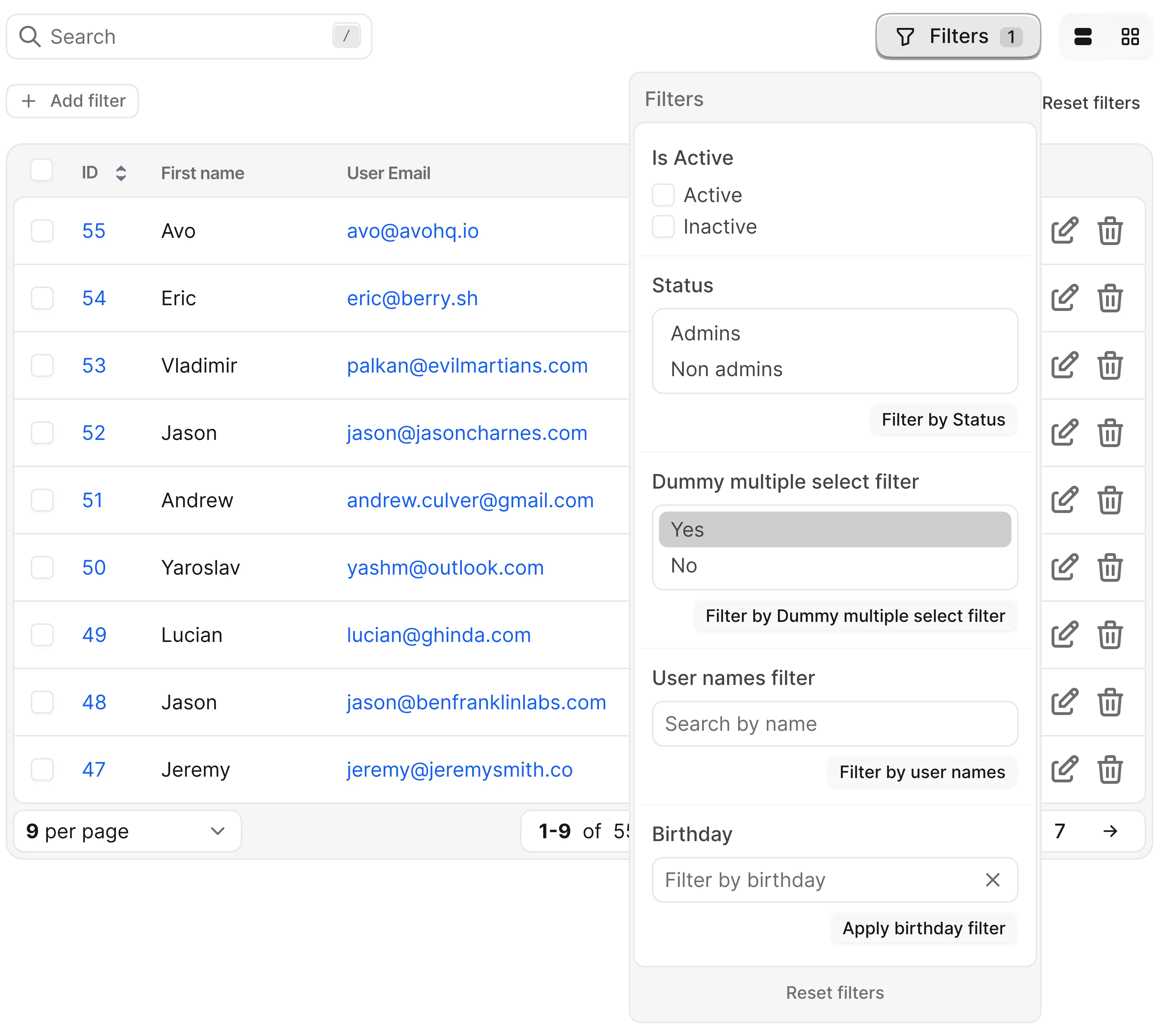
Filters narrow down the records shown on the Index view. They appear next to the resource's other controls, encode their state in the URL — so a filtered view can be bookmarked or shared — and apply to the query before pagination.
Avo ships two filtering systems that can be used independently or together on the same resource:
- Basic filters — filters you write yourself, one Ruby class per filter.
- Dynamic filters — filters the user composes at runtime from the fields you mark as
filterable.
Basic filters
A basic filter is a plain Ruby class where you control everything: the label, the input the user sees (checkboxes, select, text, or a date picker), and the exact Active Record query that runs in the apply method. You register each filter on the resources that need it.
# app/avo/filters/published.rb
class Avo::Filters::Published < Avo::Filters::SelectFilter
  self.name = "Published status"

  def apply(request, query, value)
    case value
    when "published" then query.where.not(published_at: nil)
    when "unpublished" then query.where(published_at: nil)
    else query
    end
  end

  def options
    {published: "Published", unpublished: "Unpublished"}
  end
end
Reach for basic filters when you need full control: querying through external APIs, options computed from your data, filters that react to each other, or business logic that doesn't map to a single column.
Basic filters are included in the Community version.
Dynamic filters
Dynamic filters take the opposite approach: you declare which fields are filterable, and Avo builds the filtering UI for you. The user picks the attribute, a condition (Contains, Is, >=, Is null, …), and a value — and can stack multiple conditions at once. Queries are built with Ransack behind the scenes.
# app/avo/resources/project.rb
class Avo::Resources::Project < Avo::BaseResource
  def fields
    field :name, as: :text, filterable: true
    field :stage, as: :badge, filterable: true
  end
end
filterable: true is just the starting point. Pass a hash instead and the filter becomes fully customizable — its label, icon, conditions, dropdown options, suggestions, even the query itself:
field :name, as: :text, filterable: {
  label: "Full name",
  query_attributes: [:first_name, :last_name]
}
Reach for dynamic filters when you want to give users broad, composable filtering over many attributes — from a one-word setup to fully customized filters.
Dynamic filters are a paid add-on.
Which one should you use?
| Basic filters | Dynamic filters | |
|---|---|---|
| License | Community | Paid add-on |
| Setup | One class per filter, registered per resource | One filterable: true option per field |
| Who decides the condition | You, in the apply method | The user, from a conditions dropdown |
| Composability | One value (or set of values) per filter | Multiple conditions per attribute, stacked freely |
| Query engine | Your own Active Record code | Ransack (customizable per filter) |
| Data sources | Anything — database, external APIs, computed options | Model attributes and associations |
| Inter-filter logic | Filters can react to each other | Conditions combine automatically (AND/OR) |
They are not mutually exclusive — a resource can register basic filters and mark fields as filterable at the same time. See the caveats section of the dynamic filters guide for how the two panels coexist.
Common behavior
A few things work the same regardless of which system you use:
- The filter state is serialized into the URL, so you can share or bookmark a filtered
Indexview. You can also build those URLs yourself. - Filters also apply on association views (
has_manylistings), not just the mainIndexview. - With the
self.keep_filters_panel_openresource option, the basic filters panel stays open while the user changes values. - In the
developmentenvironment, each basic filter's title in the panel shows a</>icon that opens the filter's source file in your editor. See Open a record in your editor.
Dive deeper
- For writing filter classes — boolean, select, multiple select, text, and date time filters, defaults, dynamic options, and reacting to other filters — see Basic filters and the Basic filters API.
- For the
filterablefield option, thedynamic_filterDSL, custom conditions, queries, and suggestions, see Dynamic filters and the Dynamic filters API.