
Boolean Group
The boolean_group field edits a hash of boolean values as a group of checkboxes. Use it for settings such as user roles, where each key has its own enabled or disabled state.
# app/avo/resources/user.rb
class Avo::Resources::User < Avo::BaseResource
  def fields
    field :roles,
      as: :boolean_group,
      name: "User roles",
      options: {
        admin: "Administrator",
        manager: "Manager",
        writer: "Writer"
      }
  end
end
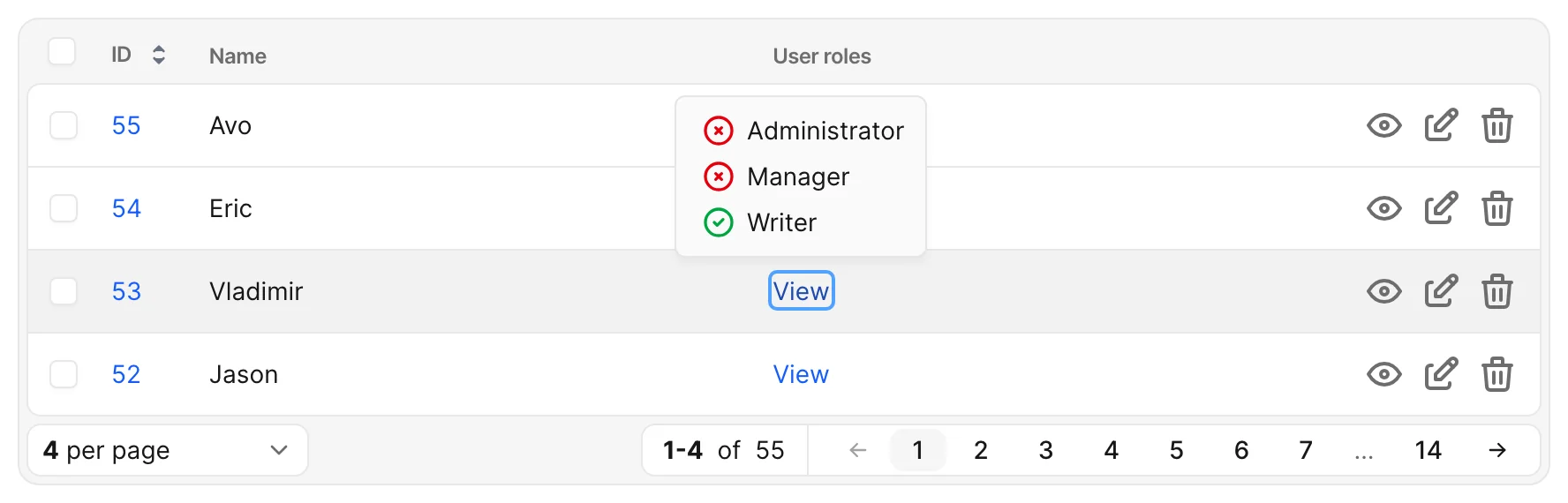
Without options, the field renders no checkboxes. With options configured, checked states come from the record's stored values. On index and show pages, a View link opens a popover listing the options and their states.
Choose the available checkboxes
Set options to choose the stored keys and their visible labels.
For example, the roles field above can edit this JSON value in the database:
{
  "admin": true,
  "manager": true,
  "writer": true
}
Compute checkboxes from the record
If the choices depend on the record, pass a lambda to options. See the reference for its execution context and available values.
For a project with a features association, use each feature's ID as its stored key:
# app/avo/resources/project.rb
class Avo::Resources::Project < Avo::BaseResource
  def fields
    field :enabled_features,
      as: :boolean_group,
      options: -> do
        record.features.each_with_object({}) do |feature, hash|
          hash[feature.id.to_s] = feature.name.humanize
        end
      end
  end
end
Here, enabled_features is the hash attribute being edited, separate from the features association that supplies the choices.
Keep unrelated stored keys when saving
Avo writes a boolean for every key in options: checked choices become true, and unchecked choices become false. Keys outside options remain unchanged, even if they contain non-boolean values.
For example, with only feature_enabled and another_feature_enabled in options, unchecking the second checkbox changes this stored value:
{
  "feature_enabled": true,
  "another_feature_enabled": true,
  "something_else": "some_value"
}
to:
{
  "feature_enabled": true,
  "another_feature_enabled": false,
  "something_else": "some_value"
}
Customize shared field behavior
For labels, visibility, read-only behavior, and other settings shared with all fields, see Field options.