
Status
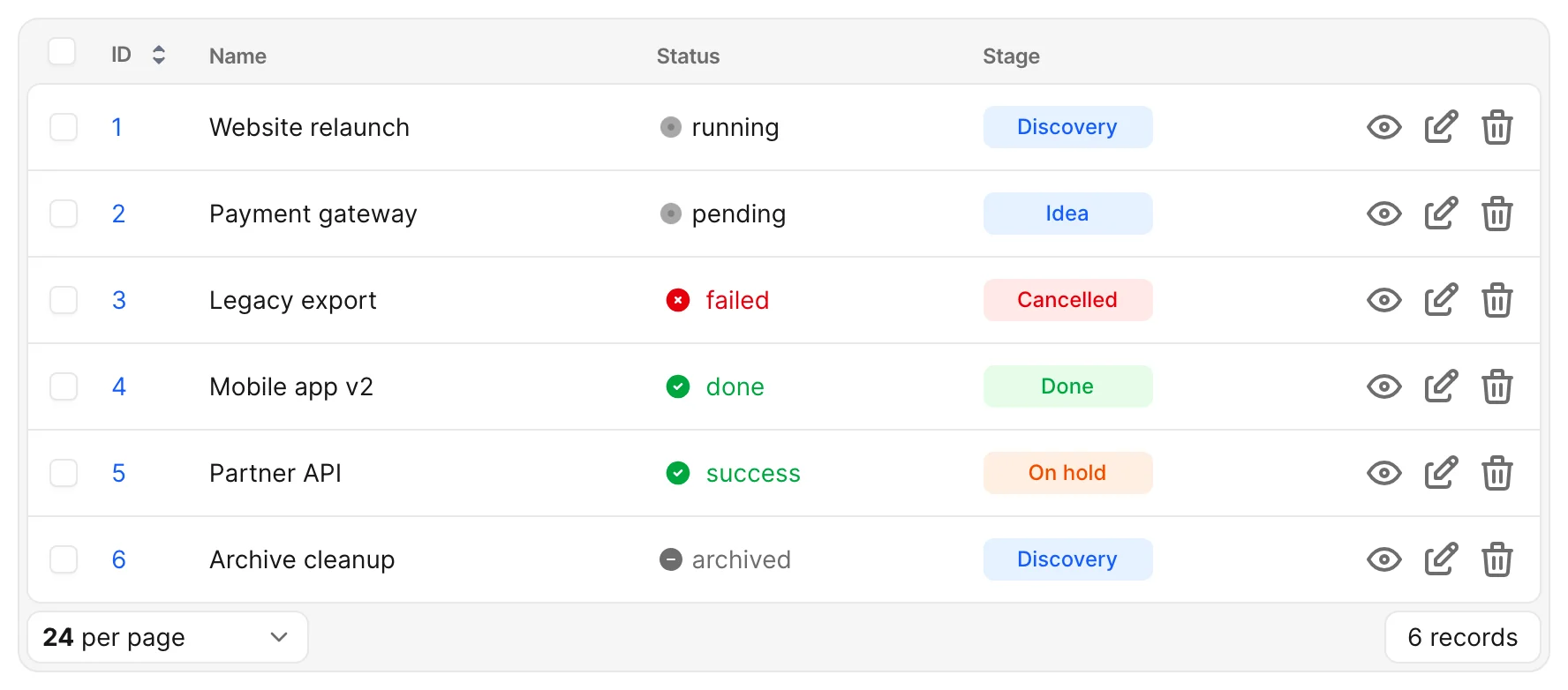
The Status field displays a record's value beside a colored indicator on index and show views. It can show a loading spinner, failure icon, success icon, or neutral icon.
# app/avo/resources/project.rb
field :status,
  as: :status,
  failed_when: [:failed],
  loading_when: [:running, :pending],
  success_when: [:done, :success]
Without any mappings, every value uses the neutral indicator. Unmapped values also remain neutral; the displayed label is still the record's value.
Each row in the table uses one of these values. archived is not listed in any array, so it falls back to neutral.
Map your workflow to indicators
Use failed_when for values such as :closed, :rejected, or :failed, loading_when for work in progress, and success_when for completed work. Strings and symbols can be mixed, so a value such as "in progress" works too.
# app/avo/resources/deployment.rb
field :status,
  as: :status,
  failed_when: [:rejected, :failed],
  loading_when: [:running, :waiting, "in progress"],
  success_when: [:done, :deployed, "ok"]
Overlapping mappings
Keep the groups distinct. If a value appears in multiple groups, success takes precedence over loading, and loading takes precedence over failure.
Include neutral values in filters
If a filter uses the field's available options, list neutral workflow values in neutral_when so they are included too.
# app/avo/resources/project.rb
field :status, as: :status, neutral_when: [:holding, "waiting"]
You do not need this option just to display a neutral indicator. It does not override a failure, loading, or success mapping.
Edit the status value
On forms, the status field is a text input, not a dropdown. The mappings control display only; they do not restrict which values a user can enter. Use model validations if your workflow accepts only specific values.
For options shared with other fields, see Common field options.