
Preview
The Preview field adds a tiny icon to each row on the Index view that, when hovered, it will display a preview popup with more information regarding that record.
ruby
field :preview, as: :previewDefine the fields
The fields shown in the preview popup are configured similarly to how you configure the visibility in the different views.
When you want to display a field in the preview popup simply call the show_on: :preview option on the field.
ruby
# app/avo/resources/team.rb
class Avo::Resources::Team < Avo::BaseResource
  def fields
    field :preview, as: :preview
    field :name,
      as: :text,
      sortable: true,
      show_on: :preview
    field :color,
      as: Avo::Fields::ColorPickerField,
      hide_on: :index,
      show_on: :preview
    field :description,
      as: :textarea,
      show_on: :preview
  end
end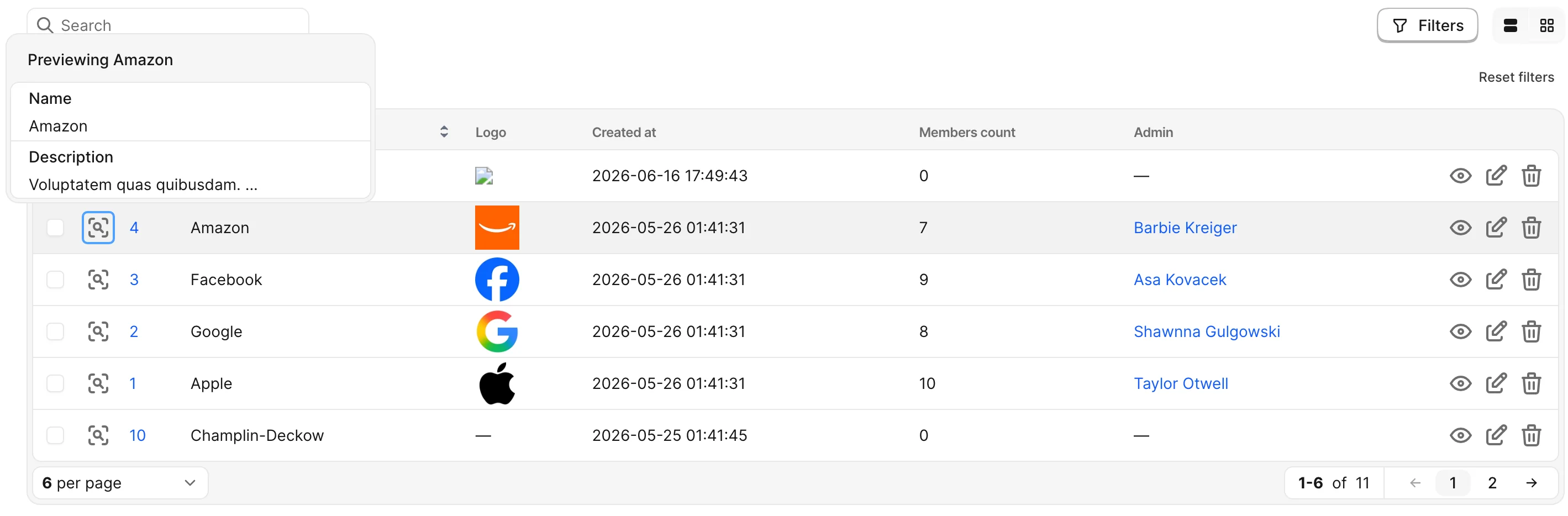
Authorization
The preview request authorization is controlled with the preview? policy method.