
Avatar
The Avatar field adds a small, square avatar column to the Index view. It displays the resource's configured avatar image, or the record's initials when no image is available.
# app/avo/resources/user.rb
class Avo::Resources::User < Avo::BaseResource
  self.title = :name
  self.avatar = { source: :avatar }

  def fields
    field :avatar, as: :avatar
    field :name, as: :text
  end
end
Without an avatar source, the field falls back to initials derived from the record's title. The field is index-only by default.
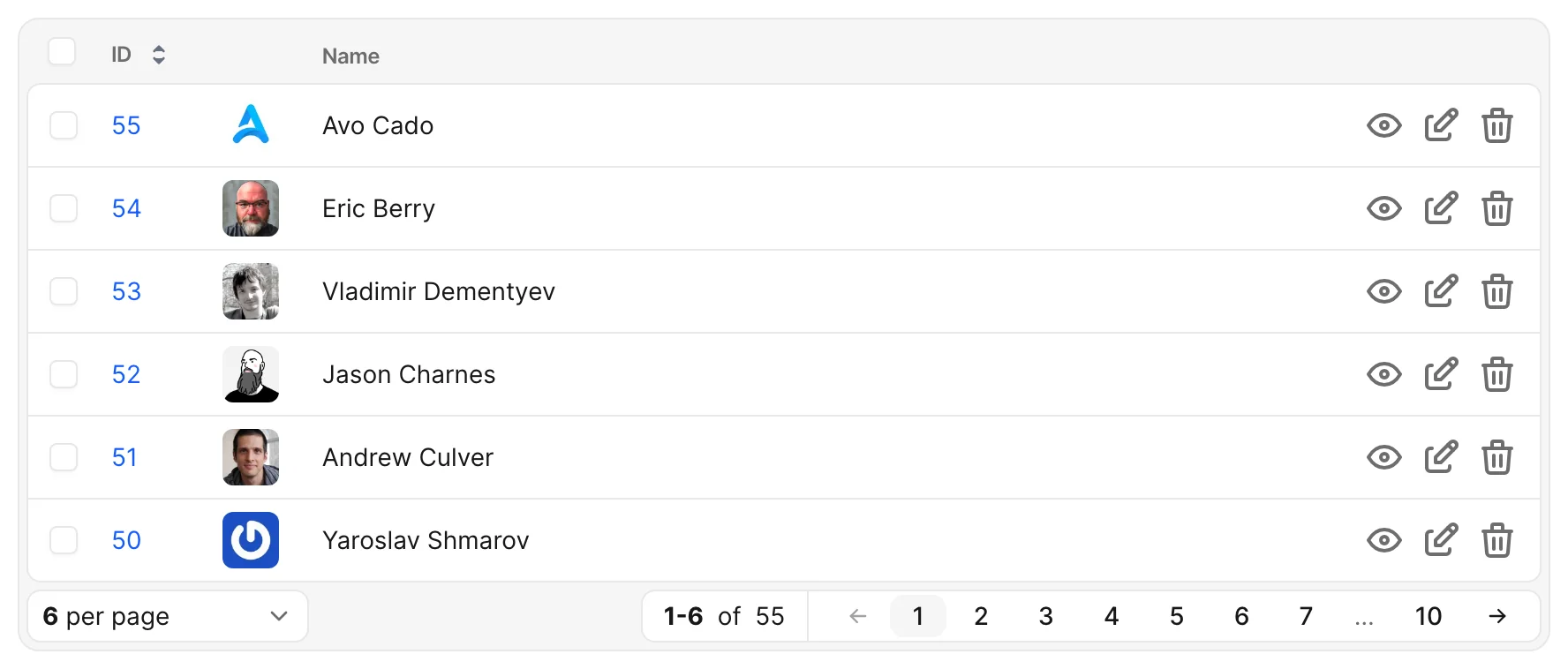
Choose the avatar image
Configure the image with the resource's self.avatar setting. In the example above, source: :avatar reads the image from record.avatar, such as an Active Storage attachment. For computed sources and resource-level avatar placement, see Cover and avatar.
Label the avatar column
If you want a heading above the avatars instead of a blank header, supply the shared name option:
# app/avo/resources/user.rb
field :avatar, as: :avatar, name: "Avatar"
Configure shared field behavior
See Shared field options for options common to fields. The Avatar API documents the field's defaults, image source, and fallback behavior.