
Basic filters API
Per-option reference for basic filter classes. For task-oriented documentation and worked examples, see the Basic filters guide.
A basic filter is a class living in app/avo/filters/ that inherits from one of five base classes, which determine the input the user sees and the shape of the value passed to apply:
| Base class | Input | Value shape in apply |
|---|---|---|
Avo::Filters::BooleanFilter | Checkboxes | Hash of "option_id" => true/false |
Avo::Filters::SelectFilter | Dropdown | String (the selected option id) |
Avo::Filters::MultipleSelectFilter | Multi-select | Array of Strings |
Avo::Filters::TextFilter | Text input | String |
Avo::Filters::DateTimeFilter | flatpickr date/time picker | String (formatted date/time, or "<start> to <end>" in range mode) |
INFO
Filter values are serialized through the URL, so apply always receives strings — hashes arrive with stringified keys, regardless of how options declared them.
Class options
-> self.name
The label displayed for the filter in the filters panel.
self.name = "User names filter"- Type: String or Proc
- Default:
"Filter"
When given a block, it's evaluated through Avo::ExecutionContext and also has access to the registration arguments:
self.name = -> { I18n.t("avo.filter.name") }-> self.button_label
The label on the button that applies the filter.
self.button_label = "Filter by user names"- Type: String or Proc
- Default:
nil— renders "Filter by <name>"
When given a block, it's evaluated through Avo::ExecutionContext and also has access to the registration arguments.
-> self.visible
Controls whether the filter shows up in the filters panel.
self.visible = -> do
  current_user.admin?
end- Type: Proc returning a boolean
- Default:
nil— the filter is always visible
The block is evaluated through Avo::ExecutionContext with resource, parent_resource, params, and arguments passed in, on top of the context's own current_user, context, request, and view_context.
-> self.empty_message
The message shown in the panel when options returns an empty collection.
self.empty_message = "Please select a country to view options."- Type: String
- Default:
nil— falls back to the translated default - i18n key:
avo.no_options_available("No options available")
Instance methods
-> apply
The only required method. Called when Avo fetches records for the Index view; must return the (modified) query.
def apply(request, query, value)
  query.where("LOWER(name) LIKE ?", "%#{value}%")
endrequest— the current request object, from which you can readparamsquery— the Active Record relation Avo built to fetch the records; chain conditions onto itvalue/values— the user's choice(s), shaped per the base class table above
-> options
Defines the choices offered to the user (checkbox filters, select filters, and multiple select filters). Returns a Hash of option id to label.
def options
  {
    published: "Published",
    unpublished: "Unpublished"
  }
end- Default: none — checkbox and select filters render empty (showing the
empty_message) without it
The method body can run any Ruby — database queries, API calls. Inside it you have access to the runtime objects below, including applied_filters for building filters that depend on each other.
-> default
The filter's pre-applied state on page load. Return the same shape apply expects for the filter type.
def default
  {is_featured: true}
end- Default:
nil— no pre-applied state
Also settable as a class attribute (self.default = {is_featured: true}). Symbols are fine — the value is stringified before reaching apply. The same runtime objects are available as in options.
-> react
A hook for changing this filter's value in response to other filters. It runs after all filters are applied; return the new value for this filter (same shape apply expects), or nil to leave it unchanged.
def react
  if applied_filters["Avo::Filters::CourseCountry"].present? && applied_filters["Avo::Filters::CourseCity"].blank?
    {"New York" => true}
  end
end- Default: not defined — no reaction
See React to other filters for a worked example.
Runtime objects
These are available inside apply, options, default, and react.
-> applied_filters
A Hash of the currently applied basic filters, keyed by filter class name (as a string), holding each filter's current value.
applied_filters
# => {
#   "Avo::Filters::CourseCountry" => {
#     "USA" => true,
#     "Japan" => false
#   }
# }
-> arguments
The arguments hash passed when registering the filter. Defaults to {}.
-> params / request / view_context / current_user
The current request's params, the request object, the Rails view context, and the current user, as configured by current_user_method.
Date time filter options
Options specific to Avo::Filters::DateTimeFilter.
-> self.type
The kind of input the picker renders.
self.type = :date- Type: Symbol
- Default:
:date_time
| Value | Behavior |
|---|---|
:date_time | Date and time selection |
:date | Date selection only |
:time | Time selection only (no calendar) |
-> self.mode
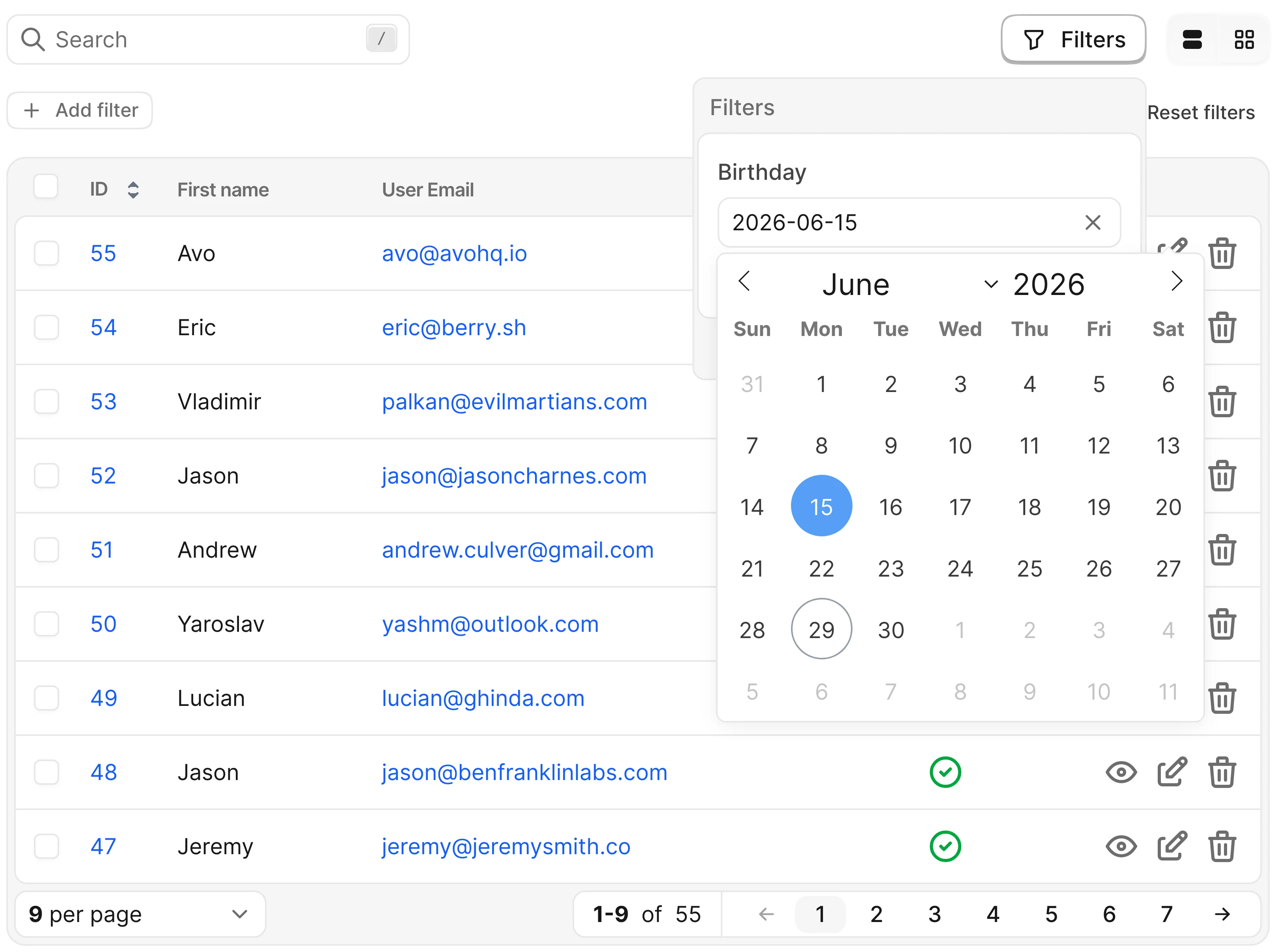
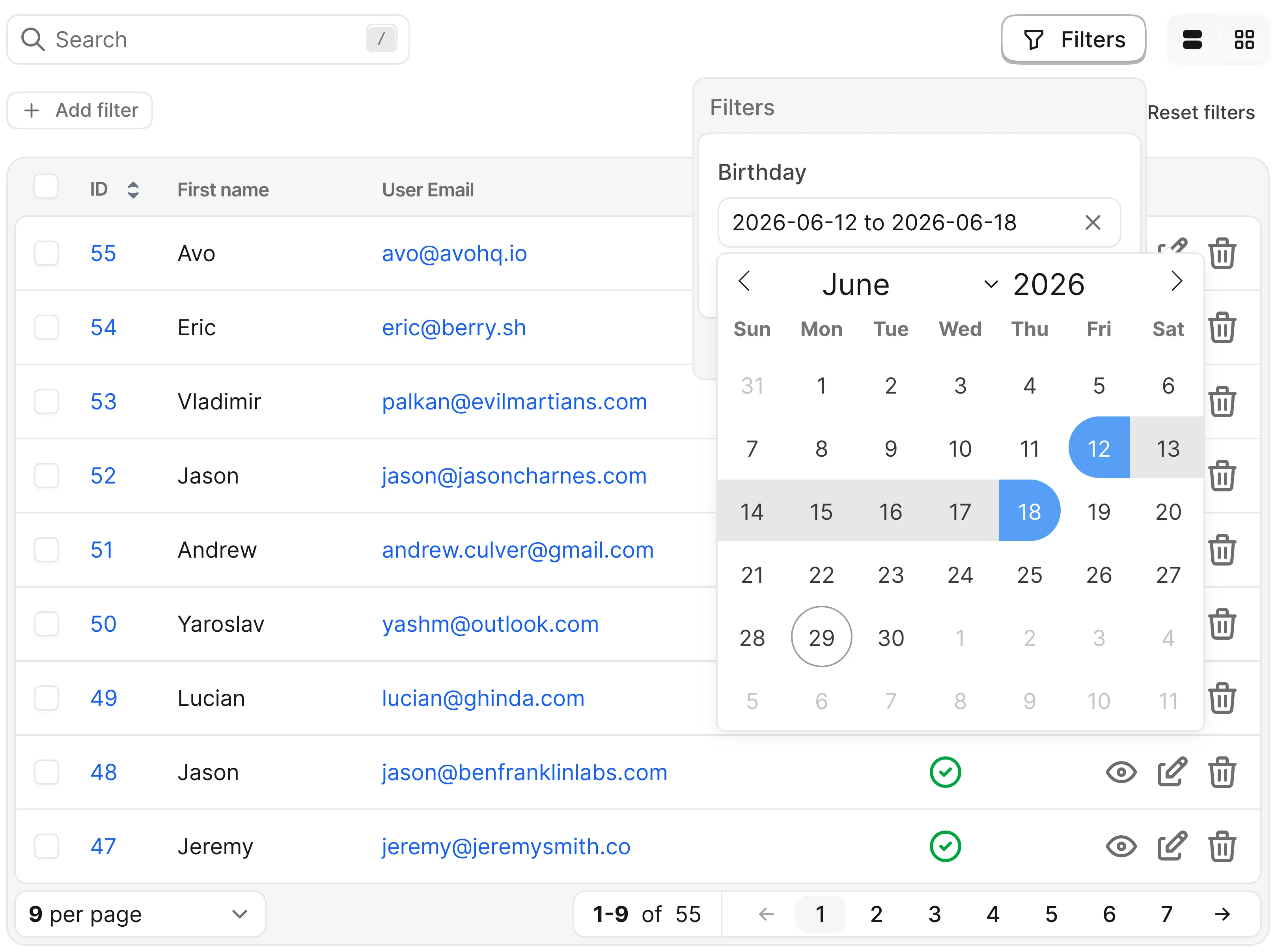
Whether the user picks a single value or a range.
self.mode = :single- Type: Symbol
- Default:
:range
| Value | Behavior |
|---|---|
:range | Start and end selection; value arrives as "2024-08-13 to 2024-08-16" — split with value.split(" to ") |
:single | One date/time; value arrives as a single formatted string |
-> picker_format
The flatpickr format string used to serialize the picked value — which determines the format of value in apply.
- Default: derived from
self.type
self.type | Default format |
|---|---|
:date | "Y-m-d" |
:date_time | "Y-m-d H:i:S" |
:time | "H:i:S" |
Override the method to change it:
def picker_format
  "Y-m-d"
end
-> picker_options
The full option hash handed to flatpickr. Override and merge onto super to customize the picker:
def picker_options(value)
  super.merge({minuteIncrement: 3})
end- Default: computed from
self.typeandself.mode— setsdefaultDate,enableTime,enableSeconds,time_24hr,noCalendar,mode,dateFormat, andminuteIncrement
WARNING
The returned hash is forwarded verbatim to flatpickr in the browser. Overriding keys like mode or dateFormat changes the value your apply method receives.
Registration
-> filter
Registers a filter class on a resource, inside the resource's filters method.
def filters
  filter Avo::Filters::Published
  filter Avo::Filters::Name, arguments: {case_insensitive: true}
endarguments— optionalHashmade available in the filter'sapplyandoptionsmethods and in theself.name,self.button_label, andself.visibleblocks. Default:{}
URL encoding helpers
Basic filter state travels in the encoded_filters URL param as Base64-encoded JSON. These helpers convert between the two representations — useful for linking to pre-filtered views.
-> encode_filter_params
Rails view helper that encodes a filters hash into the serialized state Avo understands. Available in views and off view_context.
encode_filter_params({"Avo::Filters::Name" => "Apple"})
# => "eyJBdm86OkZpbHRlcnM6Ok5hbWUiOiJBcHBsZSJ9\n"
-> decode_filter_params
Rails view helper that decodes the encoded_filters param back into a hash. Available in views and off view_context.
decode_filter_params(params[:encoded_filters])
# => {"Avo::Filters::Name" => "Apple"}
-> Avo::Filters::BaseFilter.encode_filters
Standalone class method with the same behavior as encode_filter_params, usable anywhere.
redirect_to avo.resources_users_path(
  encoded_filters: Avo::Filters::BaseFilter.encode_filters({"Avo::Filters::Name" => "Apple"})
)
-> Avo::Filters::BaseFilter.decode_filters
Standalone class method with the same behavior as decode_filter_params, usable anywhere.
Avo::Filters::BaseFilter.decode_filters(params[:encoded_filters])
# => {"Avo::Filters::Name" => "Apple"}