
Calendar view
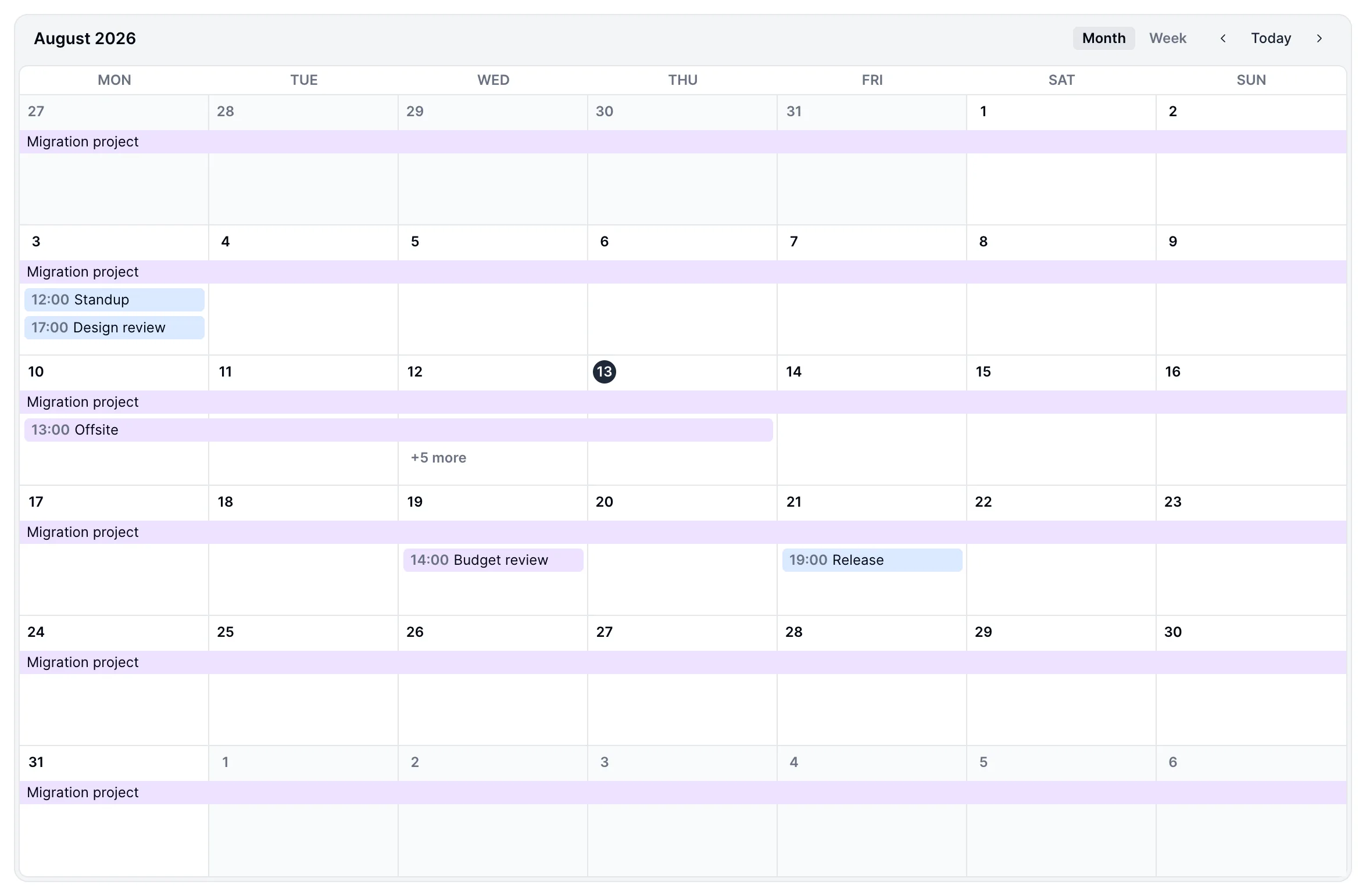
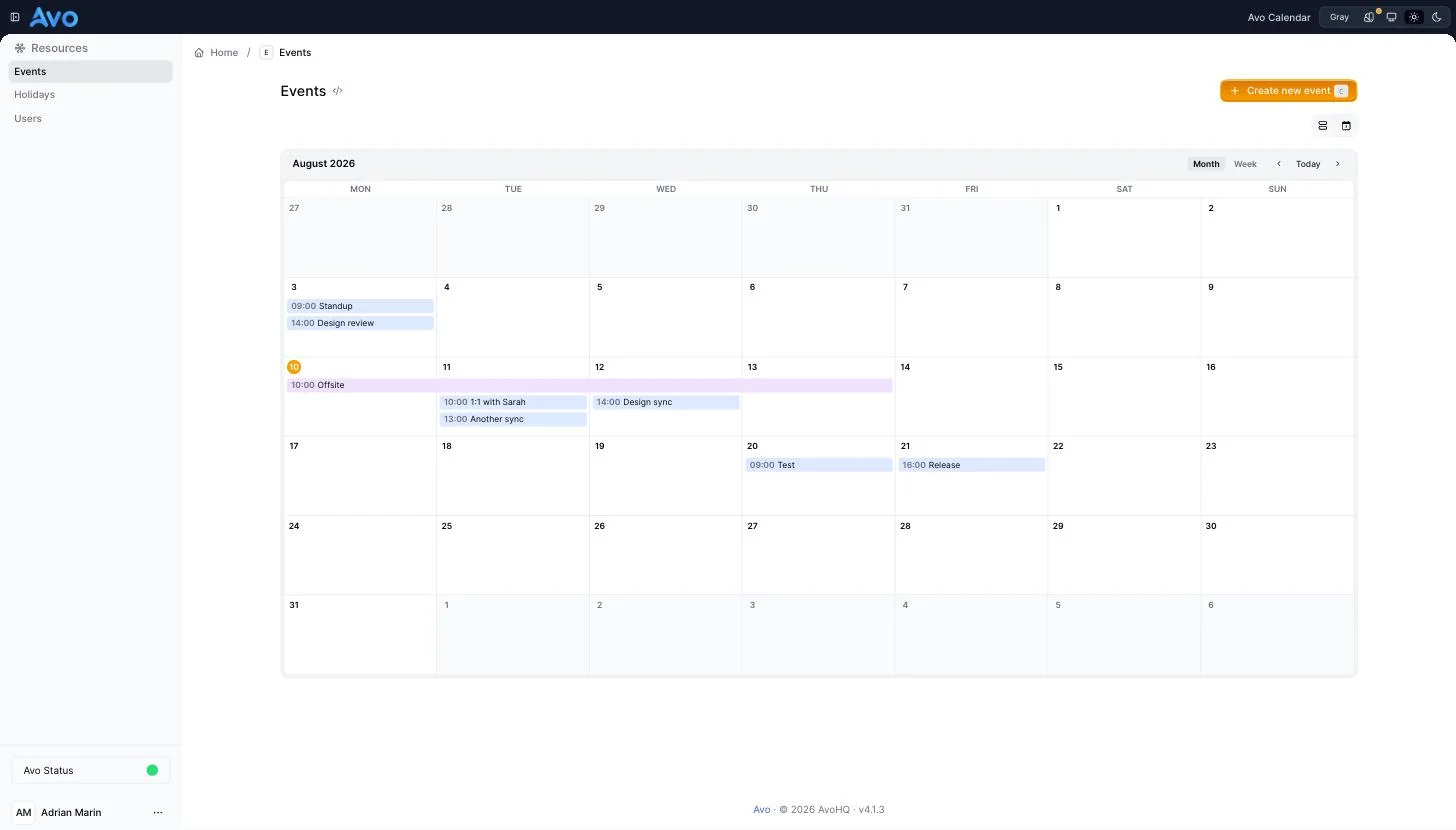
Display a resource's records on a month or week calendar, right on the Index view. Hour-based events show their start time, all-day events render as filled bars (and land in the week view's all-day lane), and multi-day events span every day they cover. Clicking an event opens a preview popover with the fields marked show_on: :preview.
Requirements
- Avo 4
avo-calendargem (paid add-on)
Installation
1. Install the gem
# Gemfile
gem "avo-calendar", source: "https://packager.dev/avo-hq/"
Then run bundle install.
2. Enable the view on a resource
Add :calendar to the resource's view_types:
class Avo::Resources::Event < Avo::BaseResource
  self.view_types = [:table, :calendar]
  self.default_view_type = :calendar # optional

  def fields
    field :id, as: :id
    field :name, as: :text
    field :starts_at, as: :date_time
    field :ends_at, as: :date_time
  end
end
That adds the calendar to the view switcher next to table, grid, and map.
Configuration
Configure which attributes drive the calendar with calendar_view:
class Avo::Resources::Event < Avo::BaseResource
  self.view_types = [:table, :calendar]
  self.calendar_view = {
    starts_at: :starts_at,       # attribute holding the event date/time
    ends_at: :ends_at,           # optional; enables multi-day events
    title: -> { record.name },   # optional; defaults to the record's title
    week_start: :monday,         # or :sunday (default :monday)
    default_period: :month,        # or :week — which grid opens first
    hide_weekends: false,        # true renders Monday–Friday only
    color: -> { record.status == "urgent" ? :red : :blue }, # optional chip color
    on_click: :preview           # or :show / :edit — what clicking an event opens
  }
end
-> starts_at
The attribute holding the event's date or time. This must be an attribute name, not a proc — the calendar queries the visible month's date range directly, so every record in the month is shown regardless of index pagination.
- Type: Symbol
- Default: the resource's first date or date-time field, falling back to
created_at
-> ends_at
The attribute holding the event's end. Setting it enables multi-day events; records whose end is nil render as single-day events.
- Type: Symbol
- Default:
nil(all events are single-day)
-> title
A proc returning the chip label, evaluated with record (and resource) in scope.
- Type: Proc
- Default: the record's title (the resource's
titleattribute)
-> week_start
Which day the week starts on.
- Type: Symbol (
:mondayor:sunday) - Default:
:monday
-> default_period
Which grid the calendar opens on. The user can always switch with the Month/Week toggle in the header.
- Type: Symbol (
:monthor:week) - Default:
:month
-> hide_weekends
Renders Monday–Friday only. Events falling on a weekend are not displayed.
- Type: Boolean
- Default:
false
-> color
A proc returning the chip's color token, evaluated with record in scope. Valid tokens: :blue, :green, :red, :orange, :purple, :pink, :teal, :gray — anything else renders the default chip.
- Type: Proc
- Default:
nil(neutral chips)
-> on_click
What clicking an event chip opens:
:preview— a popover with the record's preview fields (see Event previews):show— the record'sShowpage:edit— the record'sEditpageType: Symbol (
:preview,:show, or:edit)Default:
:preview
All-day and hour-based events
The event kind is inferred from the column type:
- a
datecolumn renders all-day chips - a
datetimecolumn renders hour-based chips with anHH:MMlabel
class Avo::Resources::Holiday < Avo::BaseResource
  self.view_types = [:table, :calendar]
  # No calendar_view needed — the first date field (`date`) is picked up
  # automatically and renders as all-day events.

  def fields
    field :name, as: :text
    field :date, as: :date
  end
end
Month and week views
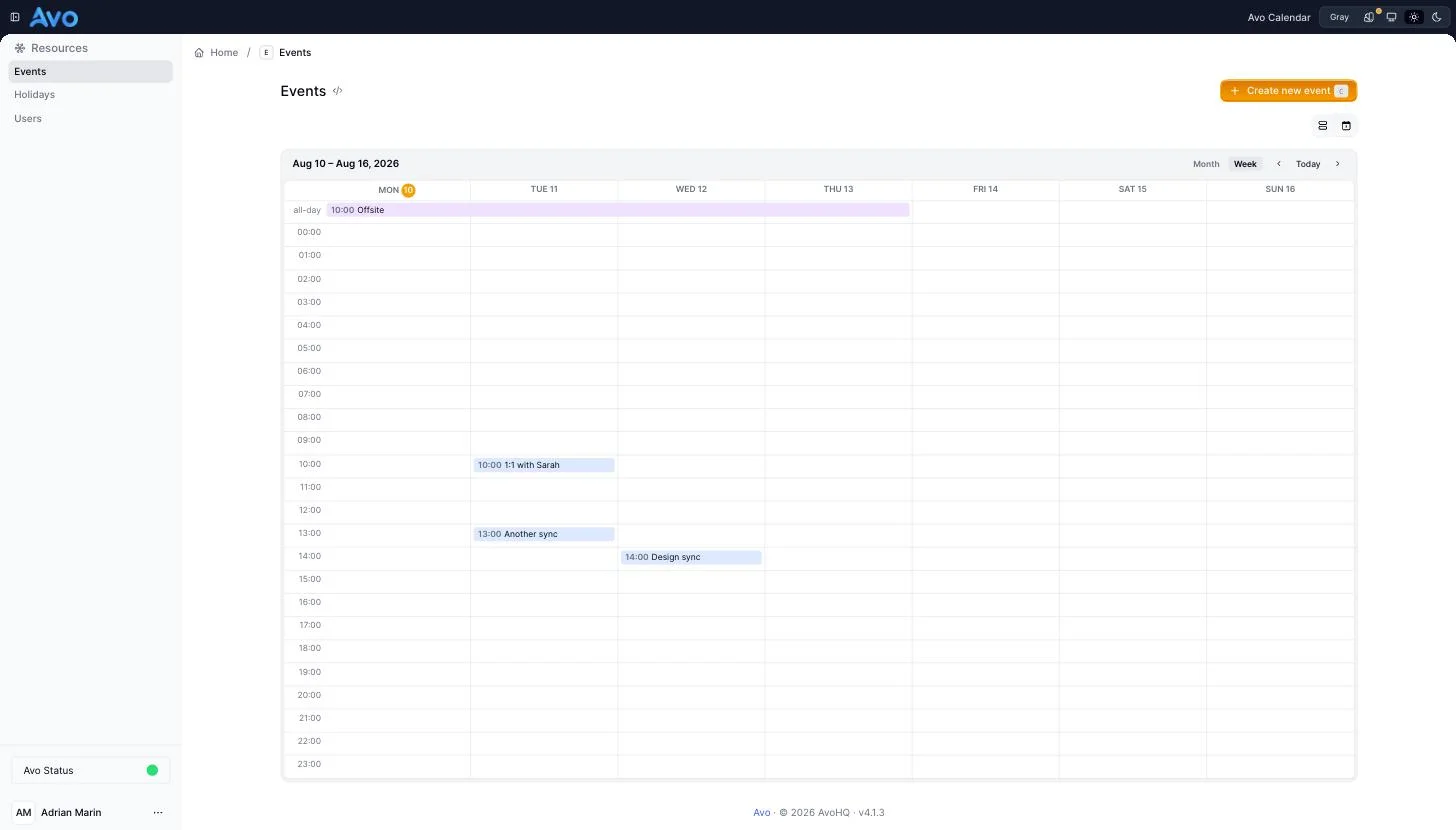
The header's Month/Week toggle switches between a month grid and a week view with an all-day lane plus hour rows (carried in the calendar_period query param). In the week view, all-day and multi-day events sit in the all-day lane; hour-based events land on their start hour.
Event previews
Clicking an event chip opens a popover with the record's preview — the fields marked show_on: :preview — and a link to the record. Cmd/Ctrl-click still opens the record directly.
If you'd rather skip the popover, set on_click: :show or on_click: :edit to navigate straight to the record's Show or Edit page.
Navigation and filtering
- The header's arrows navigate by month or week; the anchor date is carried in the
calendar_datequery param. The Today button jumps back to the current date. - Filters and scopes applied on the index also apply to the calendar. Pagination does not — the calendar always shows the whole visible range (capped at 500 records).
INFO
There is no drag-to-reschedule yet.