
Dynamic filters API
Per-option reference for dynamic filters. For task-oriented documentation and worked examples, see the Dynamic filters guide.
Filter options are passed either as a hash to a field's filterable option or as keyword arguments to the dynamic_filter method — the two are equivalent:
# As a field option
field :first_name, as: :text, filterable: {label: "Name", suggestions: ["Avo", "Cado"]}

# As a standalone filter, inside the resource's `filters` method
def filters
  dynamic_filter :first_name, label: "Name", suggestions: ["Avo", "Cado"]
end
Global behavior is configured through Avo::DynamicFilters.configure in config/initializers/avo.rb:
if defined?(Avo::DynamicFilters)
  Avo::DynamicFilters.configure do |config|
    config.always_expanded = false
  end
end
Filter options
-> label
The filter's label in the filters bar.
dynamic_filter :first_name, label: "Name"- Type: String
- Default: the field's name when bound to a field, otherwise the filter's ID humanized
-> icon
The filter's icon. Accepts any icon from Avo or heroicons — see the icons documentation.
dynamic_filter :user, icon: "heroicons/solid/users"- Type: String
- Default: per filter type:
| Filter type | Default icon |
|---|---|
| Boolean | heroicons/outline/check-circle |
| Date | heroicons/outline/calendar-days |
| Number | heroicons/outline/hashtag |
| Select | heroicons/outline/arrow-down-circle |
| Tags | heroicons/outline/tag |
| Text | avo/font |
-> type
The filter's type, which determines the input and the default conditions.
dynamic_filter :version, type: :select- Type: Symbol
- Default: computed from the field type via the field-to-filter mapping
- Values:
:boolean,:date,:date_timeand:time(variants of date),:number,:select,:text,:tags
WARNING
A dynamic_filter whose ID doesn't match a field can't infer its type and raises with a message asking you to set it explicitly (dynamic_filter :my_filter, type: :text).
-> conditions
Replaces the filter type's default conditions with your own.
dynamic_filter :first_name,
  conditions: {
    case_sensitive: "Case sensitive",
    not_case_sensitive: "Not case sensitive"
}.invert- Type: Hash of
label => condition_key(build it ascondition_key: "Label"and call.invert, as Avo does internally) - Default: the filter type's conditions
Custom condition keys that aren't Ransack predicates need a custom query to handle them.
An empty hash ({}) hides the conditions dropdown entirely and applies the filter type's first default condition — "Is" for a select filter, "Contains" for a text filter, and so on. Useful when only one condition makes sense:
dynamic_filter :last_name,
  type: :select,
  conditions: {},
  options: User.pluck(:last_name).compact
-> query
Replaces the auto-generated Ransack query for this filter.
dynamic_filter :first_name,
  conditions: {
    case_sensitive: "Is (case sensitive)",
    not_case_sensitive: "Is (case insensitive)"
  }.invert,
  query: -> {
    case filter_param.condition.to_sym
    when :case_sensitive
      query.where("name = ?", filter_param.value)
    when :not_case_sensitive
      query.where("LOWER(name) = ?", filter_param.value.downcase)
    end
}- Type: Proc; must return the (modified) query
- Default:
nil— Avo applies the condition to the filter'squery_attributesthrough Ransack
Inside the block you have access to:
query— the Active Record relation to scopefilter_param— an object exposing the filter'sid, the appliedcondition, and thevaluefilterable_field— the field the filter is bound to, if anyparent_record— when the filter is applied on an association view- all attributes of
Avo::ExecutionContext
When several values are applied for the same filter, the block runs once per applied condition/value pair.
-> query_attributes
The database column(s) the filter queries.
dynamic_filter :name,
  type: :text,
query_attributes: [:first_name, :last_name]- Type: Symbol or Array of Symbols
- Default: the filter's ID
With multiple columns the condition matches any of them (Ransack _or_ chaining). All attributes must be authorized in ransackable_attributes.
To query through a belongs_to association, prefix the attribute with the association name (a Ransack feature — the association must be ransackable):
dynamic_filter label: "User (email & first_name)",
  icon: "heroicons/solid/users",
  query_attributes: [:user_email, :user_first_name]
-> options
The choices shown in a select filter's dropdown. Available only for select type filters.
dynamic_filter :version,
  type: :select,
options: ["Label 1", "Label 2"]- Type: Array, Hash, or Proc
- Default: fetched from the field when bound to one, otherwise
[]
Accepted shapes:
- Array — each element is both the option's value and its label
- Hash —
label => valuepairs (build it asvalue: "Label"and call.invert, or write labels as keys directly) - Proc — evaluated through
Avo::ExecutionContextwithfilterandparent_recordavailable; must return one of the above
dynamic_filter :version,
  type: :select,
  options: {
    value_1: "Label 1",
    value_2: "Label 2"
  }.invert
-> suggestions
Values suggested in the filter's input as the user types. Applies to filters with text input; on tags filters, suggestions default to the ones configured on the tags field.
dynamic_filter :first_name, suggestions: ["Avo", "Cado"]- Type: Array of Strings, Proc, or (tags filters only) Array of Hashes
- Default:
nil— falls back to the bound field's suggestions, then[]
Accepted shapes:
- Array of strings
dynamic_filter :first_name, suggestions: ["Avo", "Cado"]- Proc returning an array of strings — evaluated through
Avo::ExecutionContext;parent_recordis available when the filter is applied on an association view
dynamic_filter :first_name,
suggestions: -> { ["Avo", "Cado", params[:extra_suggestion]] }- Array of hashes with the keys
value,label, and optionallyavatar— tags filters only (directly or from a proc):
dynamic_filter :tags,
  suggestions: -> {
    [
      {
        value: 1,
        label: "one",
        avatar: "https://images.unsplash.com/photo-1560363199-a1264d4ea5fc?w=256&h=256&fit=crop"
      }
    ]
  }
-> fetch_values_from
A URL the filter queries to suggest values dynamically — the same mechanism as the tags field's fetch_values_from. Compatible only with tags filters.
dynamic_filter :city_ids,
  type: :tags,
fetch_values_from: -> { "/avo-filters/resources/cities/tags" }- Type: String or Proc that evaluates to a String
- Default:
nil— falls back to the bound field'sfetch_values_from
# When using a filterable field, the URL is picked up from the field
field :tags, as: :tags,
  fetch_values_from: -> { "/avo-filters/resources/cities/tags" },
  filterable: true
The endpoint must handle two scenarios and return an array of objects with the keys value, label, and optionally avatar:
- Search: the user's input arrives as
params["q"] - Initial load: when the filter already holds values (e.g. on page load), they arrive as an array in
params[:value]— return the matching labels
class Avo::CitiesController < Avo::ResourcesController
  def tags
    if params[:value].present?
      # Handle initial load: return labels for selected values
      selected_cities = City.where(id: params[:value])
      render json: selected_cities.map { |city|
        {
          value: city.id,
          label: city.name,
          avatar: city.avatar_url
        }
      }
    elsif params["q"].present?
      # Handle search: return cities matching the query
      cities = City.where("name ILIKE ?", "%#{params["q"]}%").limit(10)
      render json: cities.map { |city|
        {
          value: city.id,
          label: city.name,
          avatar: city.avatar_url
        }
      }
    else
      # Handle empty state: return some default suggestions
      render json: [
        {
          value: 1,
          label: "New York",
          avatar: "https://images.unsplash.com/photo-1560363199-a1264d4ea5fc?w=256&h=256&fit=crop"
        }
      ]
    end
  end
endRails.application.routes.draw do
# your routes...
end
if defined? ::Avo
Avo::Engine.routes.draw do
scope :resources do
get "cities/tags", to: "cities#tags"
end
end
end-> render_apply_button
Whether the filter renders its "Apply" button.
dynamic_filter :status,
  type: :select,
render_apply_button: false- Type: Boolean
- Default:
true
Usually paired with apply_on_select: true for an immediate filtering experience.
-> apply_on_select
Whether the filter applies immediately when the selected value changes, without the user clicking "Apply". Intended for select type filters.
dynamic_filter :category,
  type: :select,
  apply_on_select: true,
render_apply_button: false- Type: Boolean
- Default:
false
-> humanized_value
Customizes how the applied filter's value is displayed in the filter pill.
field :is_capital,
  as: :boolean,
  filterable: {
    humanized_value: -> {
      case filter.condition
      when "is_true"
        "yes"
      when "is_false"
        "no"
      end
    }
}- Type: Proc returning a String
- Default:
nil— the raw value is displayed (select and tags filters substitute the matching option/suggestion labels automatically)
Inside the block you have access to value, the filter object (exposing the applied condition), parent_record (on association views), and all attributes of Avo::ExecutionContext. Returning nil falls back to the raw value.
dynamic_filter label: "Tags with fetch_values_from",
  type: :tags,
  fetch_values_from: -> { "/avo-filters/resources/cities/tags" },
  humanized_value: -> {
    City.controller_suggestions.select do |suggestion|
      suggestion[:value].to_s.in?(value.split(","))
    end.map { _1[:label] }.join(", ")
  }
-> humanized_condition
Customizes how the applied filter's condition is displayed in the filter pill.
dynamic_filter :author,
  type: :tags,
  icon: "heroicons/outline/users",
  conditions: {},
  humanized_condition: -> {
    (filter.value.split(",").count > 1) ? "are" : "is"
  },
  query: -> {
    query.where(author_id: filter_param.value.split(","))
}- Type: Proc returning a String
- Default:
nil— the condition's auto-generated label is displayed
Inside the block you have access to condition, the filter object, parent_record (on association views), and all attributes of Avo::ExecutionContext. Returning nil falls back to the default label.
Global configuration
Set these through Avo::DynamicFilters.configure in config/initializers/avo.rb.
-> button_label
The label on the button that expands the filters bar.
config.button_label = "Advanced filters"- Type: String or Proc
- Default: the translated default
- i18n key:
avo.filters("Filters")
The button only renders when always_expanded is false.
-> always_expanded
Whether the dynamic filters bar is always shown expanded.
config.always_expanded = false- Type: Boolean
- Default:
true— the bar is always visible and the toggle button is hidden
When false, the bar starts collapsed behind a toggle button and expands automatically when filters are present in the URL.
-> param_key
The URL query param dynamic filters read from and write to.
config.param_key = :df- Type: Symbol
- Default:
:filters
With the default key, a filtered URL looks like /avo/resources/users?filters[first_name][contains][]=Avo. Change it if filters collides with another param in your app.
Filter types and their conditions
Each filter type ships a set of conditions the user picks from. The tables below list each condition's key (used in URL params and as a reference for the conditions option) and its label.
Null conditions appear only on nullable columns
The Is null / Is not null conditions (and Is present / Is blank on text filters) are offered only when the underlying database column is nullable — on columns with a NOT NULL constraint they're omitted, since they could never match anything.
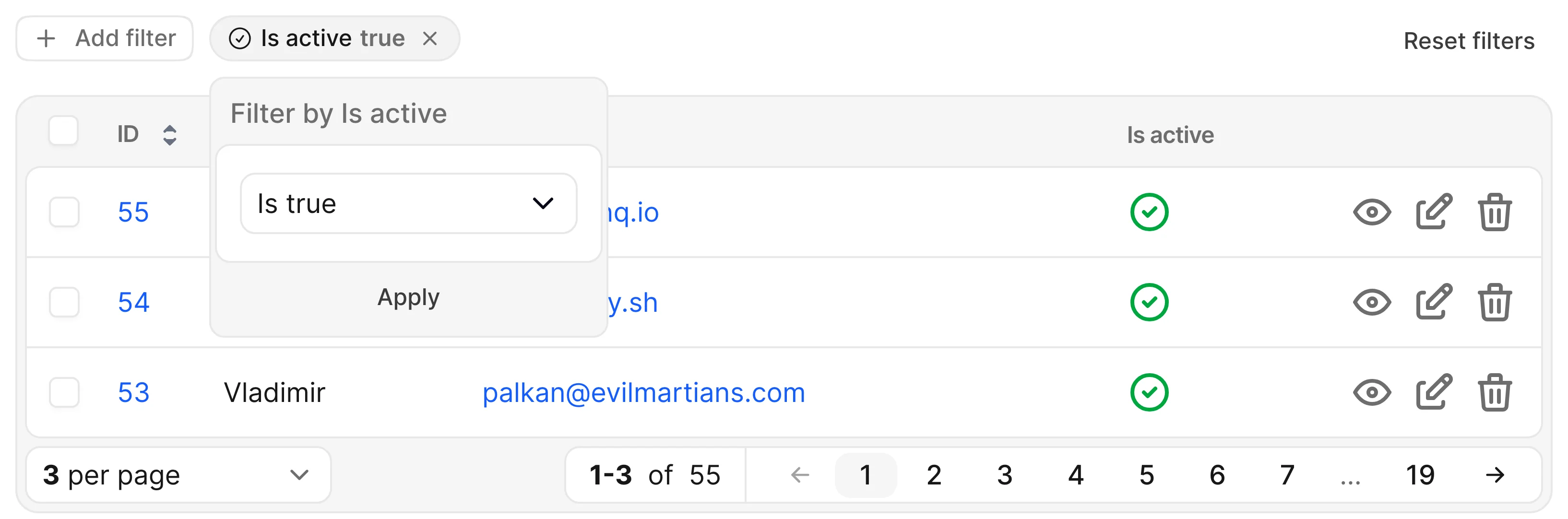
Boolean
| Key | Label |
|---|---|
is_true | Is true |
is_false | Is false |
is_null | Is null |
is_not_null | Is not null |
Test it on avodemo, check the source code
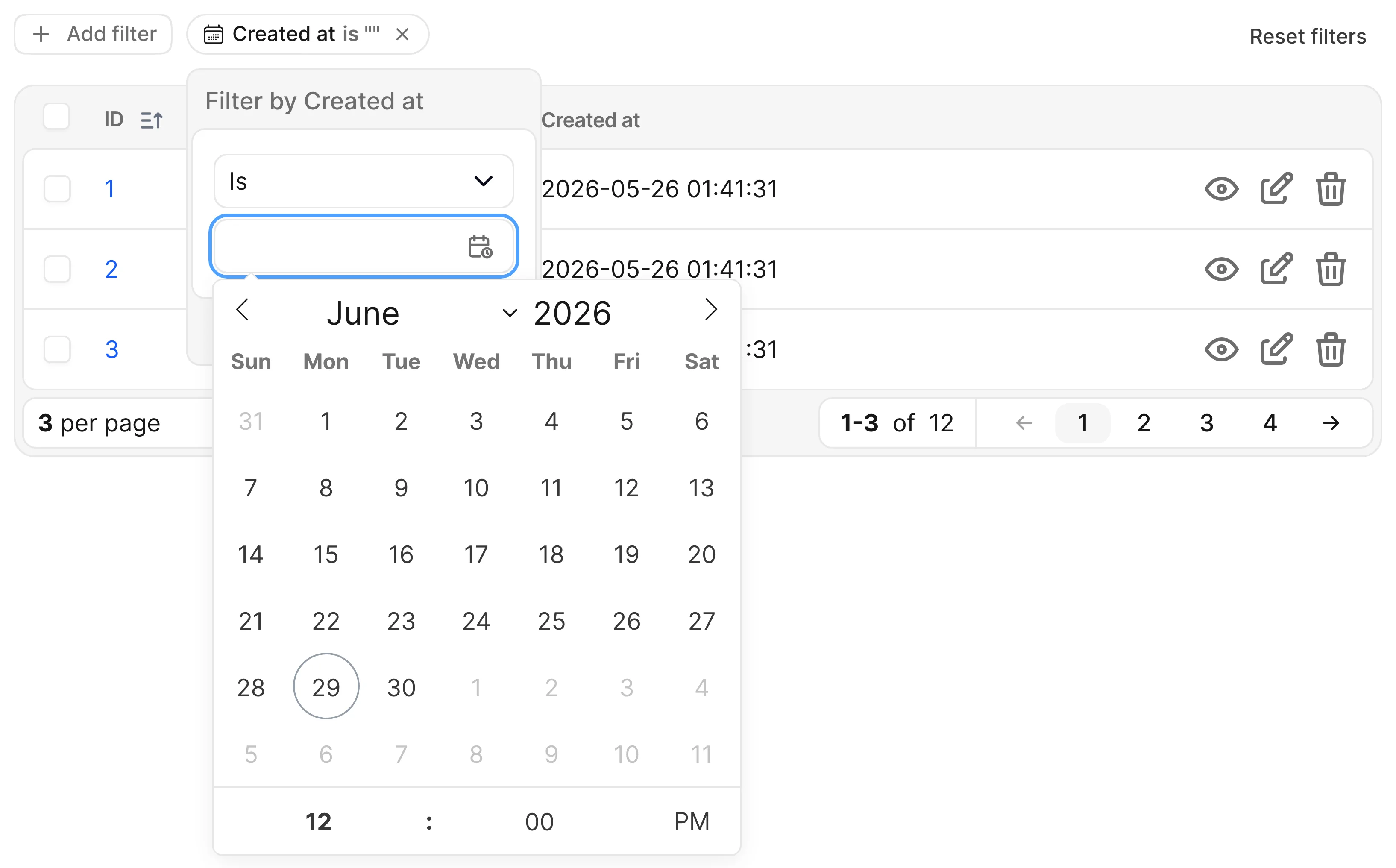
Date
Covers the :date, :date_time, and :time types — same conditions, different picker: :date_time adds time selection to the calendar and :time shows a time-only picker (no calendar).
| Key | Label |
|---|---|
is | Is |
is_not | Is not |
lte | Is on or before |
gte | Is on or after |
is_within | Is within |
is_null | Is null |
is_not_null | Is not null |
Test it on avodemo, check the source code
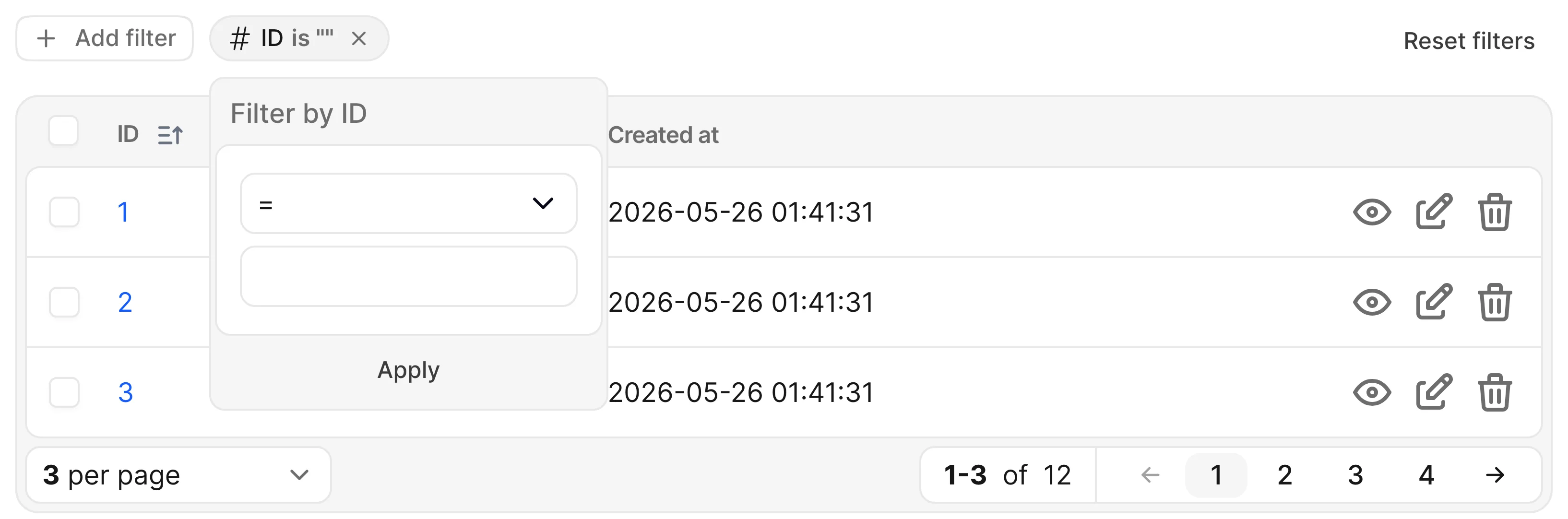
Number
| Key | Label |
|---|---|
is | = (equals) |
is_not | != (is different) |
gt | > (greater than) |
gte | >= (greater than or equal to) |
lt | < (lower than) |
lte | <= (lower than or equal to) |
is_within | Is within |
is_null | Is null |
is_not_null | Is not null |
Test it on avodemo, check the source code
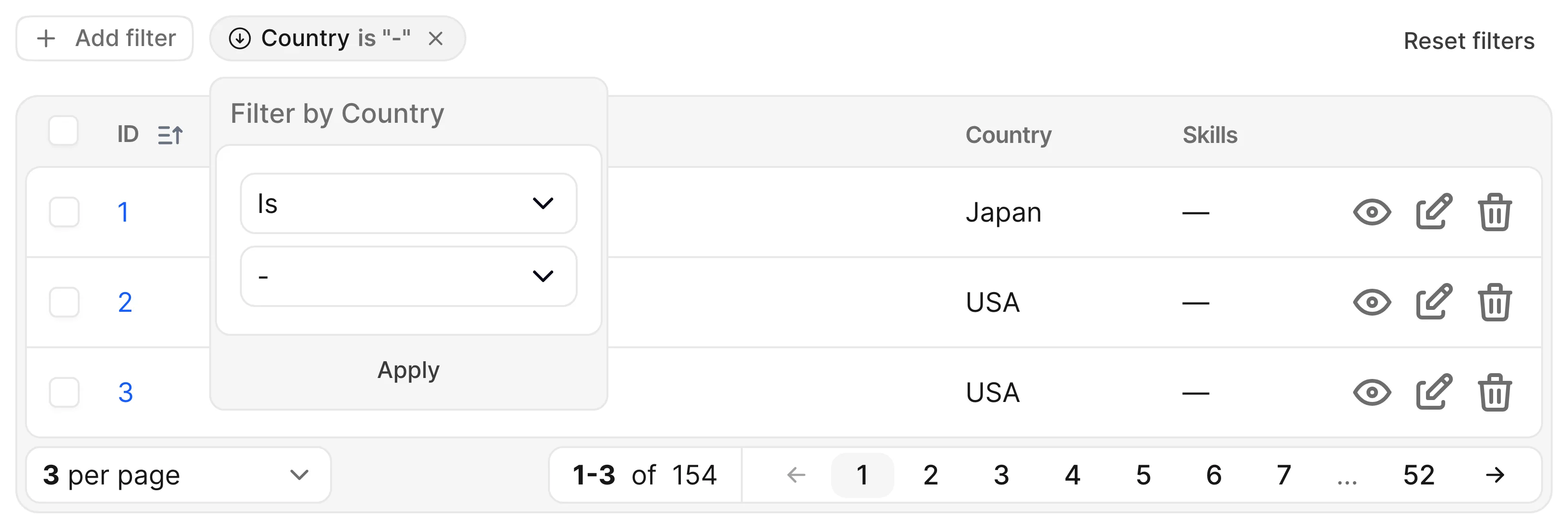
Select
| Key | Label |
|---|---|
is | Is |
is_not | Is not |
is_null | Is null |
is_not_null | Is not null |
Test it on avodemo, check the source code
Text
| Key | Label |
|---|---|
contains | Contains |
does_not_contain | Does not contain |
is | Is |
is_not | Is not |
starts_with | Starts with |
ends_with | Ends with |
is_null | Is null |
is_not_null | Is not null |
is_present | Is present |
is_blank | Is blank |
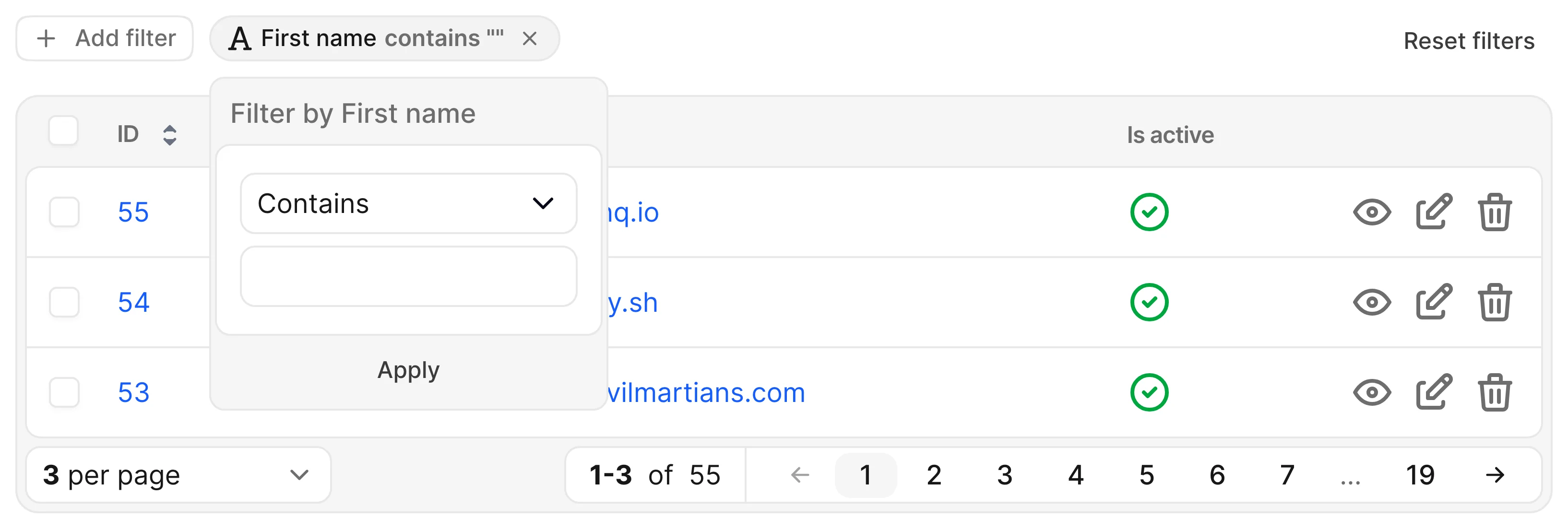
Test it on avodemo, check the source code
Tags
| Key | Label |
|---|---|
array_is | Are |
array_contains | Contain |
array_overlap | Overlap |
array_contained_in | Contained in |
WARNING
array_contained_in requires the active_record_extended gem and is not offered on fields using the acts-as-taggable-on gem.
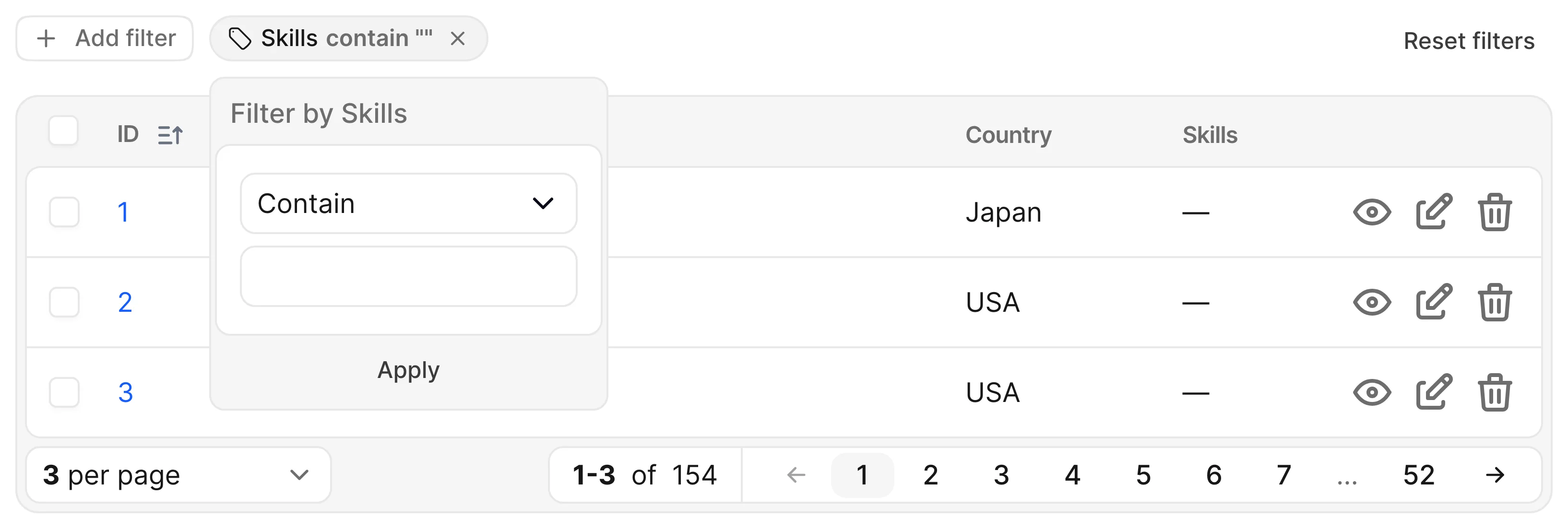
Test it on avodemo, check the source code
Field-to-filter mapping
When a filter's type isn't set explicitly, Avo derives it from the field type:
| Field type | Filter type |
|---|---|
boolean | :boolean |
date, date_time, time | :date |
id, number, progress_bar | :number |
select, badge, country, status | :select |
tags | :tags |
text, textarea, code, markdown, password, trix | :text |
| anything else | :text |